Controls
79
Reference OverviewDriving hintsCommunication NavigationEntertainmentMobility
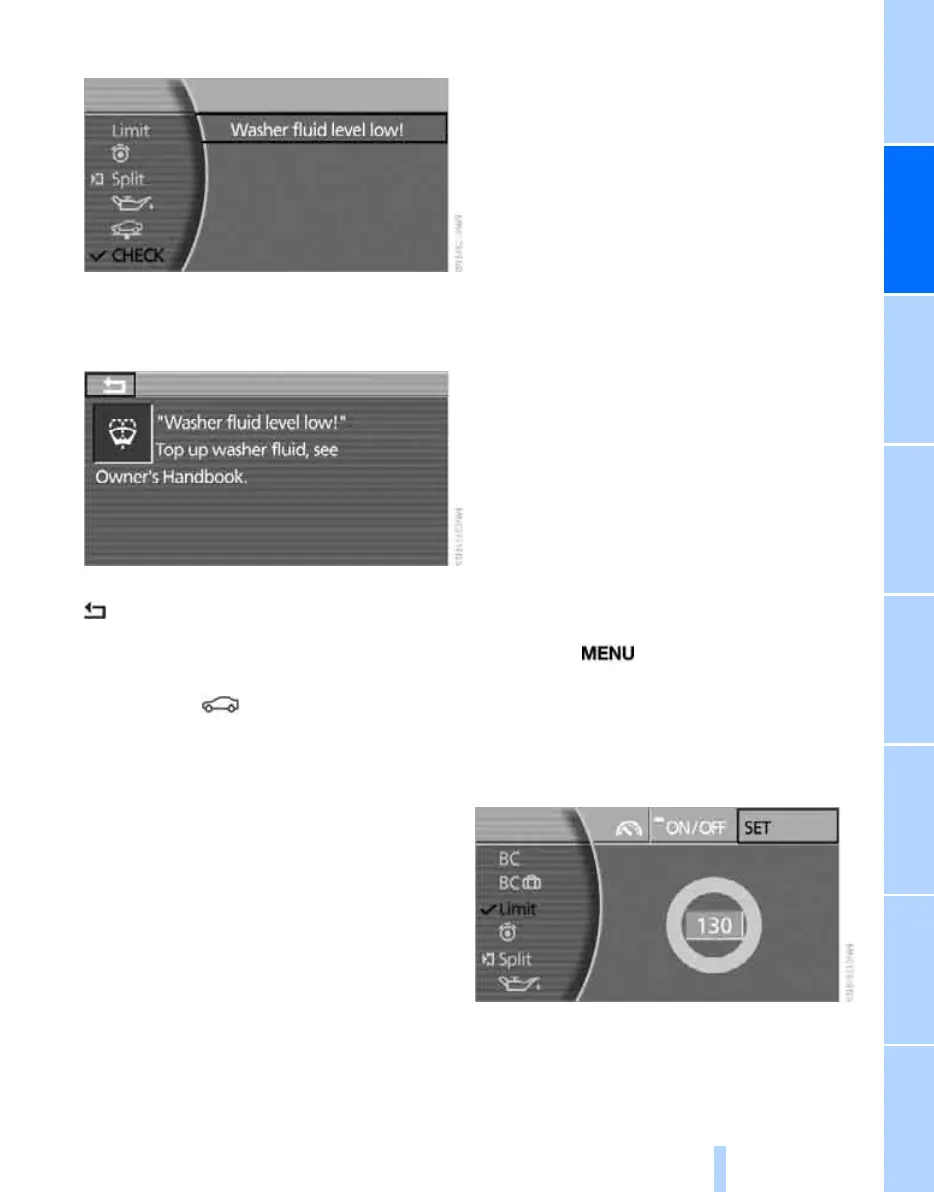
3. Select "CHECK" and press the controller.
The stored messages are displayed.
4. Select a text message and press the con-
troller.
To exit the menu:
Arrow is selected. Press the controller.
Displaying the urgency of malfunctions
Depending on the status of the systems being
monitored, the symbol in the status line
appears in different colours.
Yellow or red
There are malfunctions in the systems moni-
tored. Depending on the severity of the mal-
function, supplementary information will be dis-
played on the control display.
The symbol also shows the status of the service
requirements, see Symbols on page 76.
Messages displayed at the end of
ajourney
Malfunctions which have been indicated during
a journey are displayed again when you switch
off the ignition.
Even if the ignition is switched off and the dis-
play has gone out, you can call up the messages
on the info display.
Press the CHECK button, see page 78, for
approx. 8 seconds. The stored messages are
displayed again. If there are several messages,
briefly press the CHECK button as many times
as necessary.
The Check Control is closed:
> Automatically after a short time
> If you press the CHECK button again for
approx. 8 seconds
Speed limit
You can enter a speed at which you are to be
alerted by means of a Check Control message.
You can use this feature e.g. to ensure that you
do not exceed the speed limit in a built-up area.
A renewed reminder of this speed limit will not
be given unless you have undercut it by at least
5 km/h, approx. 3 mph, in the meantime.
Displaying, setting or altering limit
iDrive, principle, see page 14.
1. Press the button to call up the start
menu.
2. Move the controller towards "On-board
data".
3. Select "Limit" and press the controller.
4. Select "SET" and press the controller.
5. Turn the controller to adjust the limit.
6. Press the controller to apply the setting.
Online Edition for Part no. 01 41 0 013 197 - © 02/07 BMW AG



 To Next Page