The parking assistant failed. Have the system
checked.
Head-up Display
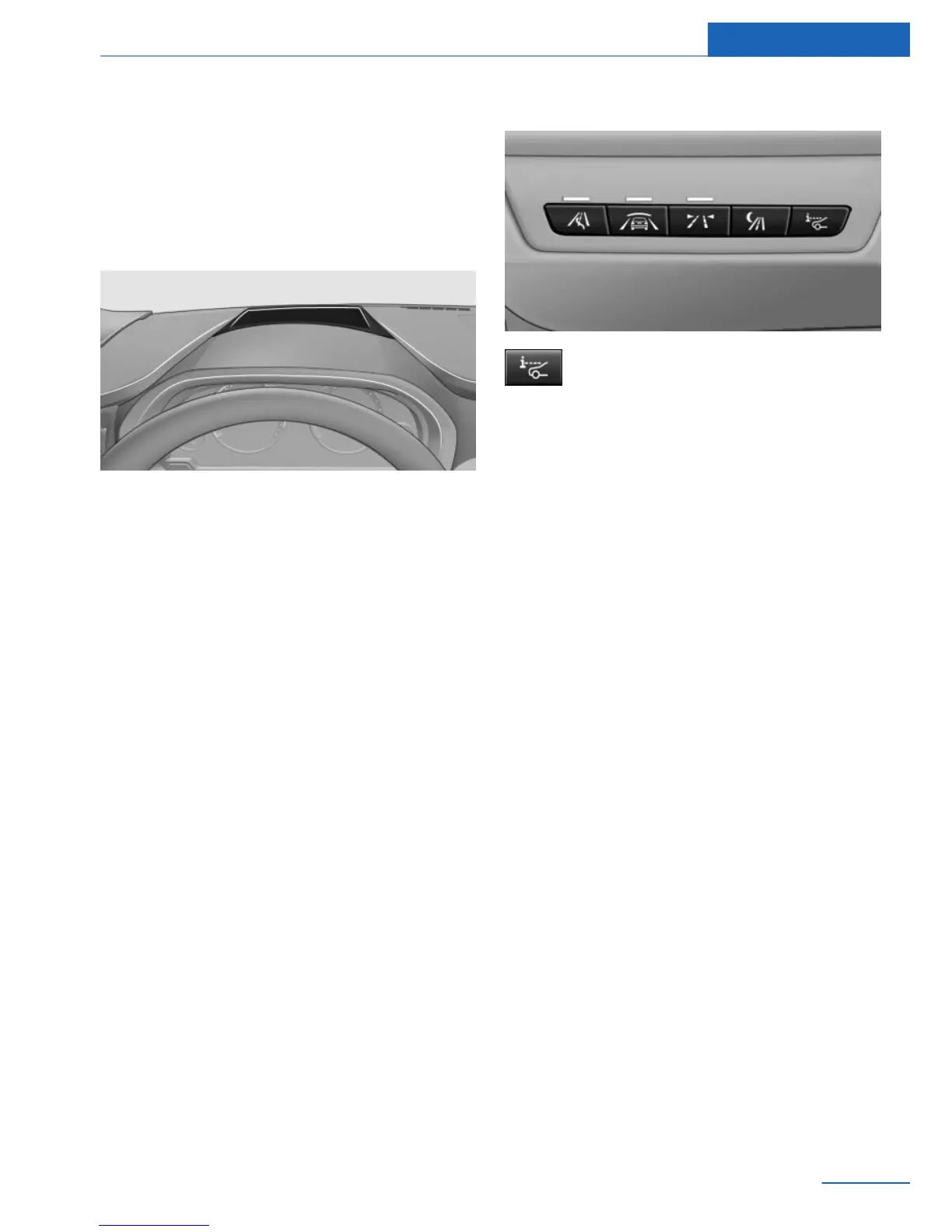
The concept
This system projects important information into
the driver's field of vision, e.g., the speed.
In this way, the driver can get information with‐
out averting his or her eyes from the road.
Display visibility
The visibility of the displays in the Head-up Dis‐
play is influenced by:
▷ Certain sitting positions.
▷ Objects on the cover of the Head-up Dis‐
play.
▷ Sunglasses with certain polarization filters.
▷ Wet roads.
▷ Unfavorable light conditions.
If the image is distorted, check the basic set‐
tings.
Switching on/off
Press the button.
Display
Overview
▷ Speed.
▷ Navigation system.
▷ Check Control messages.
▷ Speed limit detection.
▷ Cruise control.
Some of this information is only displayed briefly
as needed.
Selecting displays in the Head-up
Display
1.
"Settings"
2. "Head-Up Display"
3. "Displayed information"
4. Select the desired displays in the Head-up
Display.
The settings are stored for the remote control
currently in use.
Setting the brightness
The brightness is automatically adjusted to the
ambient light.
The basic setting can be adjusted manually.
1.
"Settings"
2. "Head-Up Display"
Seite 143
Driving comfort Controls
143
Online Edition for Part no. 01 40 2 917 426 - II/13






 To Next Page