For example, the sensors are unable to detect
fog or hazy weather. To avoid safety risks under
these conditions, you should always switch on
the lights manually.
Daytime running lights
General information
Position of switch: , ,
The daytime running lights light up when
standby state is switched on. After standby state
is switched off, the parking lights light up in posi‐
tion .
Activating/deactivating
In some countries, daytime running lights are
mandatory, so it may not be possible to deacti‐
vate the daytime running lights.
Via iDrive:
1.
"My Vehicle"
2. "Vehicle settings"
3. "Lighting"
4. "Exterior lighting"
5. Select the desired setting.
Settings are stored for the profile currently used.
Adaptive headlight range
control
The adaptive headlight range control compen‐
sates for acceleration and braking operations in
order not to blind the oncoming traffic and to
achieve optimum illumination of the roadway.
Instrument lighting
Functional requirement
The parking lights or low beams must be
switched on to adjust the brightness.
Settings
Adjust the brightness with the
thumbwheel.
Interior lights
General information
Depending on the equipment, the interior lights,
footwell lights, entry lights, and courtesy lights
are controlled automatically.
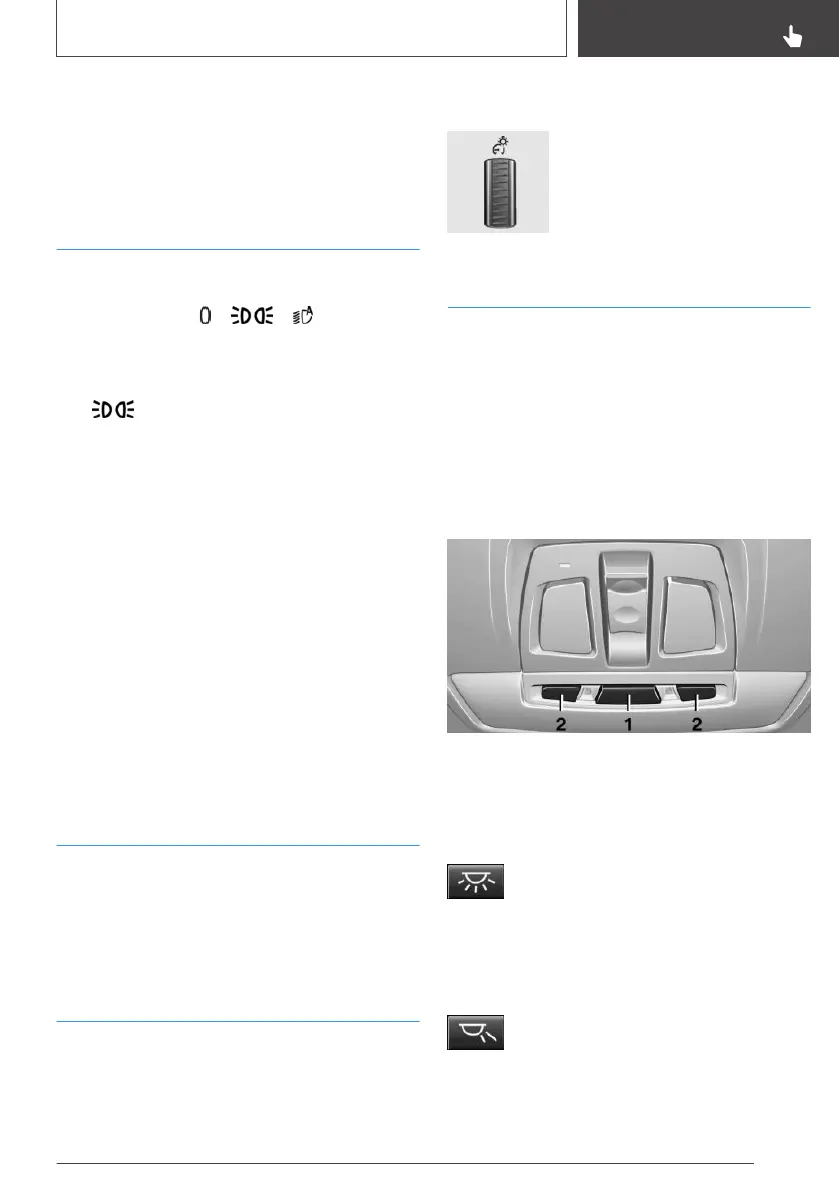
Thumbwheel for the instrument lighting controls
brightness of some of these features.
Overview
1 Interior lights
2 Reading lights
Switching the interior lights on/off
Press button.
To switch off permanently: press the button and
hold for approx. 3 seconds.
Switching the reading lights on/off
Press button.
Reading lights are located in the front next to the
interior light.
Seite 131
Lights
CONTROLS
131
Online Edition for Part no. 01402989267 - II/18


 To Next Page