DSC Dynamic Stability Control is switched on, if
necessary.
The speed can also be stored by pressing a but‐
ton.
Press button.
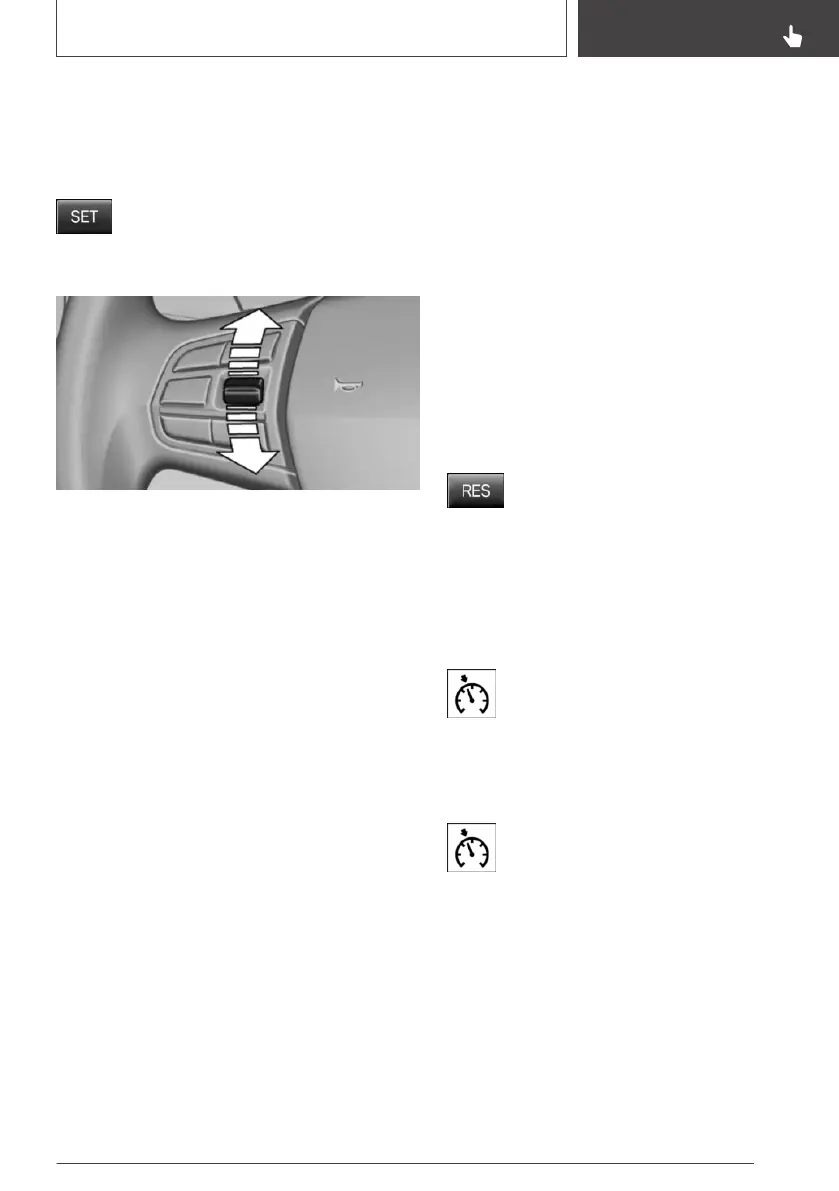
Changing the speed
Press the rocker switch up or down repeatedly
until the desired speed is set.
If active, the displayed speed is stored and the
vehicle reaches the stored speed when the road
is clear.
▷ Each time the rocker switch is pressed to the
point of resistance, the desired speed in‐
creases or decreases by approx.
1 mph/1 km/h.
▷ Each time the rocker switch is pressed past
the point of resistance, the desired speed in‐
creases or decreases by a maximum of
5 mph/10 km/h.
The maximum speed that can be set de‐
pends on the vehicle.
▷ Pressing the rocker switch to the resistance
point and holding it accelerates or deceler‐
ates the vehicle without requiring pressure on
the accelerator pedal.
After the rocker switch is released, the vehi‐
cle maintains its final speed. Pressing the
switch beyond the resistance point causes
the vehicle to accelerate more rapidly.
Continuing cruise control
General information
An interrupted cruise control can be continued
by calling up the stored speed.
Make sure that the difference between current
speed and stored speed is not too large before
calling up the stored speed. Otherwise, uninten‐
tional braking or accelerating may occur.
In the following cases, the stored speed value is
deleted and cannot be called up again:
▷ When the system is switched off.
▷ When drive-ready state is switched off.
Calling up stored speed
Press button on the steering wheel.
The stored speed is reached again and main‐
tained.
Displays in the instrument cluster
Indicator light
Depending on how the vehicle is equip‐
ped, the indicator light in the instrument
cluster indicates whether the system is
switched on.
Desired speed and stored speed
The desired speed is displayed next to
the symbol in the Info Display.
▷ Display lights up green: system is ac‐
tive, the display indicates the desired
speed.
▷ Display lights up orange: system is inter‐
rupted, the display indicates the stored
speed.
▷ No display: system is switched off.
Seite 161
Driving comfort
CONTROLS
161
Online Edition for Part no. 01402989267 - II/18



 To Next Page