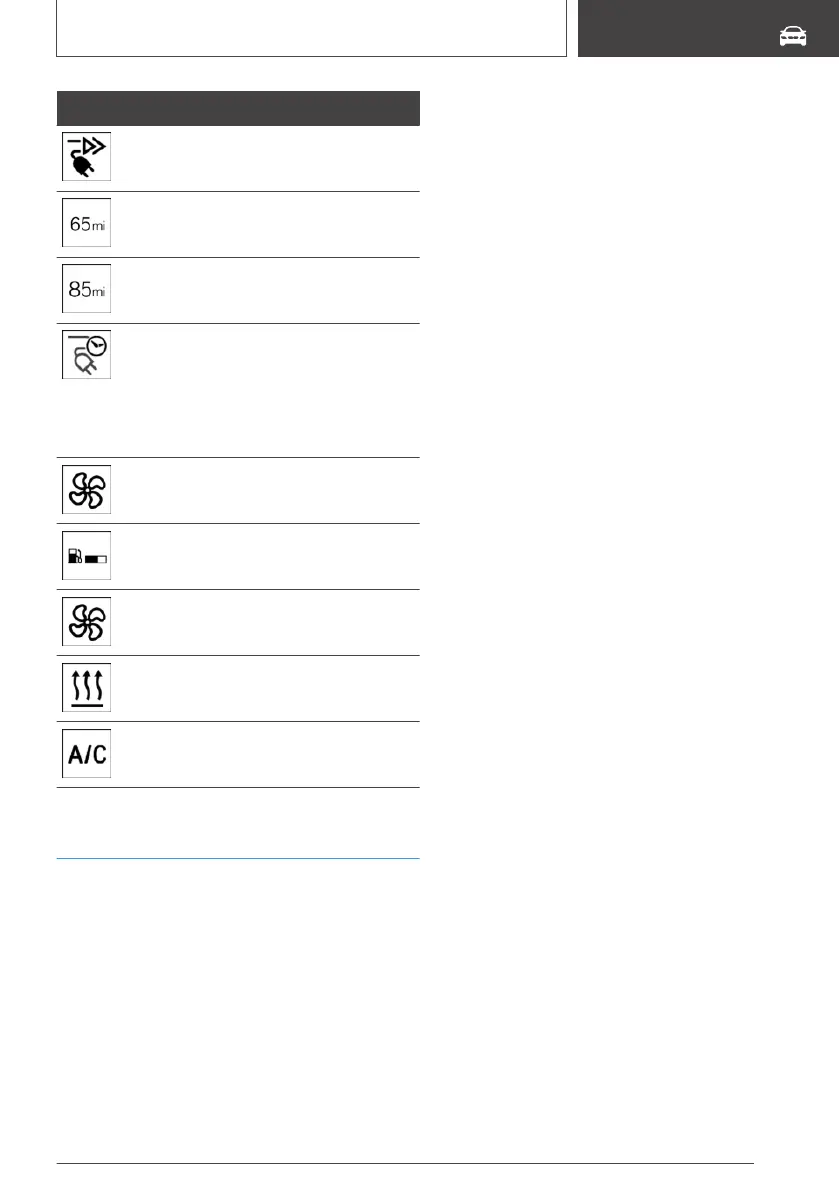
Display Meaning
DC charging active on a DC charging
station.
Indicator in blue: charged electrical
range.
Indicator in white: maximum electrical
range.
White clock: departure time set.
Blue plug: charging process active or
completed.
White plug: charging process inter‐
rupted.
Climate control activated at departure
time.
Range with Range Extender.
Flashing: ventilation active.
Flashing: heating active.
Flashing: cooling active.
Departure time
Concept
For optimum range and climate control, the de‐
parture time can be set before parking the vehi‐
cle.
General information
With a set departure time, the vehicle is pre-
heated or pre-cooled during the charging proc‐
ess if climate control is set. Climate control out‐
put is reduced during the trip. This increases the
range.
The following settings are possible at departure
time:
▷ Climate control at departure time.
▷ Planning a one-time departure time.
▷ Planning of up to three regular departure
times per day of the week.
If drive-ready state is switched off, changes can
be made via iDrive. Departure time can only be
changed once. Scheduled departure times are
not adjusted. Settings for climate control and
charging process are also applied for scheduled
departure times.
Climate control at departure time
Via iDrive:
1.
"My Vehicle"
2. "Plan charging/climate control"
3. "Precondition for departure"
Setting the departure time
Level 1 or Level 2 charging:
Via iDrive:
1.
"My Vehicle"
2. "Plan charging/climate control"
3. "Set departure time"
4. Set the desired days of the week, if needed.
5. Set the desired time.
Up to three departure times can be set.
Activating the departure time
Via iDrive:
1.
"My Vehicle"
2. "Plan charging/climate control"
3. "Set departure time"
Set departure times are displayed.
4. For example activate "Departure time 1".
Seite 219
Charging the vehicle
MOBILITY
219
Online Edition for Part no. 01402989267 - II/18


 To Next Page