Functional requirement
The affected window must be closed.
Operation
On the control display
1. Apps menu
2. "Vehicle"
3. "Doors and windows"
4. "Sun blinds"
5. Select the desired function.
On the rear doors
Apply the setting using BMW Touch Com-
mand.
1.
Tap on the icon.
The main menu is displayed.
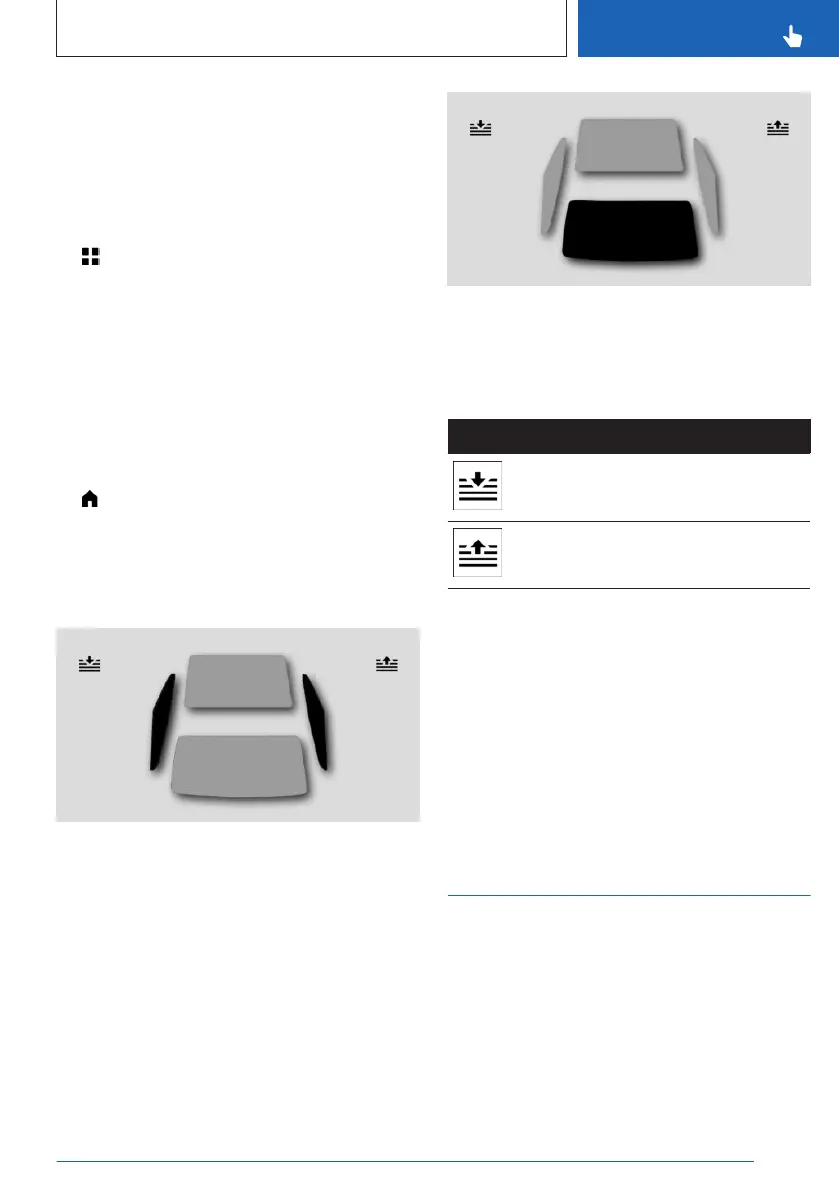
2. "Sun protection"
3. Tap the desired sun protection on the BMW
Touch Command.
To open or close, tap the desired side sun pro-
tection.
If you tap the sun protection again while it is
moving, the sun protection moves in the oppo-
site direction.
To open or close, tap the rear window sun pro-
tection.
If you tap the sun protection again while it is
moving, the sun protection moves in the oppo-
site direction.
Icon Function
Open all roller sunblinds.
Close all roller sunblinds.
System limits
If you are no longer able to move the roller
sunblinds after having activated them consec-
utively a number of times, the overheating pro-
tection mechanism is active. The system is dis-
abled for a limited time to prevent overheating.
Let the system cool down.
The side roller sunblinds cannot be moved at
low interior temperatures.
Safety switch
Principle
With the safety switch, it is possible to disable
particular functions in the rear. The locking of
functions is useful, for instance, when children
or animals are carried in the rear.
Seite 101
Opening and closing
CONTROLS
101
Online Edition for Part no. 01405A88D67 - VI/23



 To Next Page