Icon Meaning
Select left exterior mirror.
Select right exterior mirror.
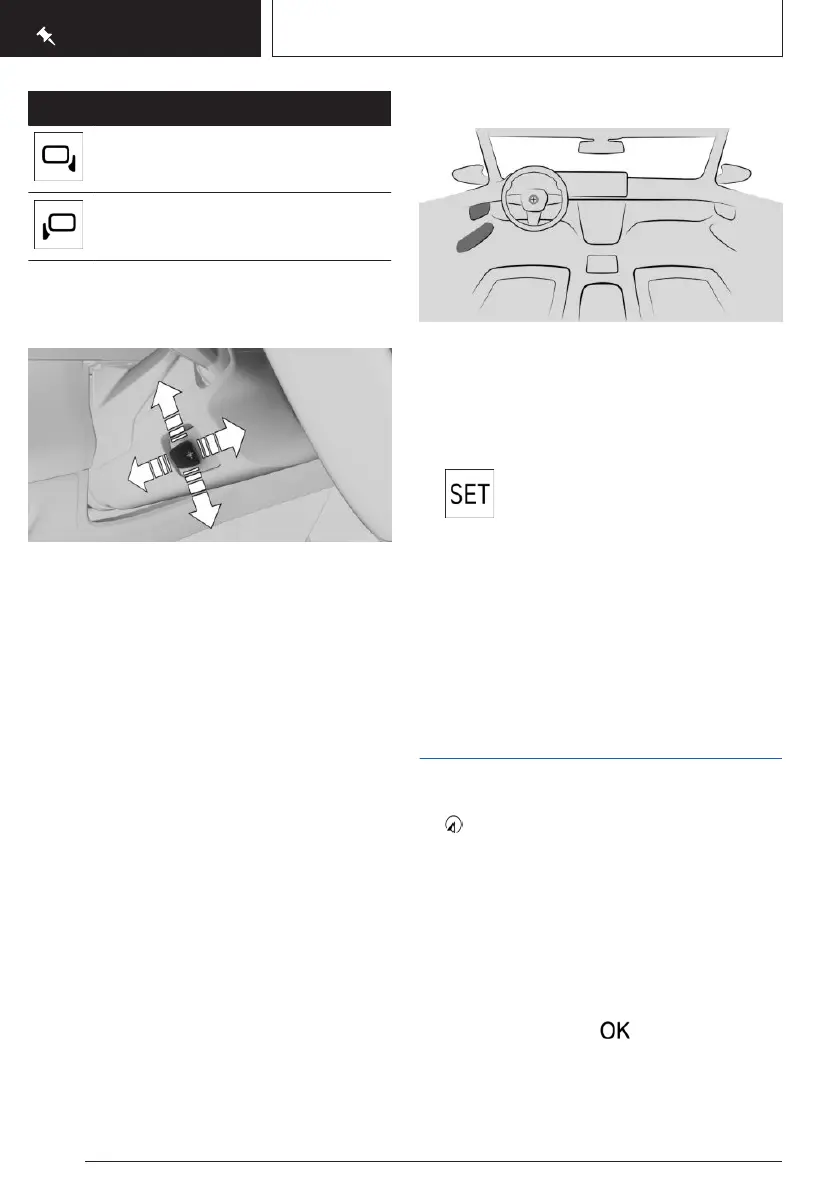
Adjusting the steering wheel
position
Press the switch to adjust the steering wheel
forward/back position and height to the seat
position.
Memory function
Principle
The following settings can be stored and, if
necessary, retrieved using the memory func-
tion:
▷
Seat position.
▷ Exterior mirror adjustment.
▷ Steering wheel position.
▷ Lumbar support position.
▷ Height of the Head-up display.
Overview
The memory buttons are located on the front
doors.
Storing settings
1.
Set the desired position.
2. Press the button. The LED illumi-
nates.
3. Press the desired memory button 1 or 2
while the LED is illuminated. A signal
sounds.
Calling up settings
Press the desired memory button 1 or 2.
Infotainment
Navigation destination input
1.
Navigation menu
2. "Destination input"
A search box and entered information such
as the search history are displayed.
3. Select the desired entry or the search box.
4. When selecting the search box, enter char-
acters or choose one of the POI categories
displayed.
If necessary, select to display more
information, e.g. to preview a map.
Apply the suggested search keywords as
necessary
Seite 22
QUICK REFERENCE
Set-up and use
22
Online Edition for Part no. 01405A88D67 - VI/23



 To Next Page