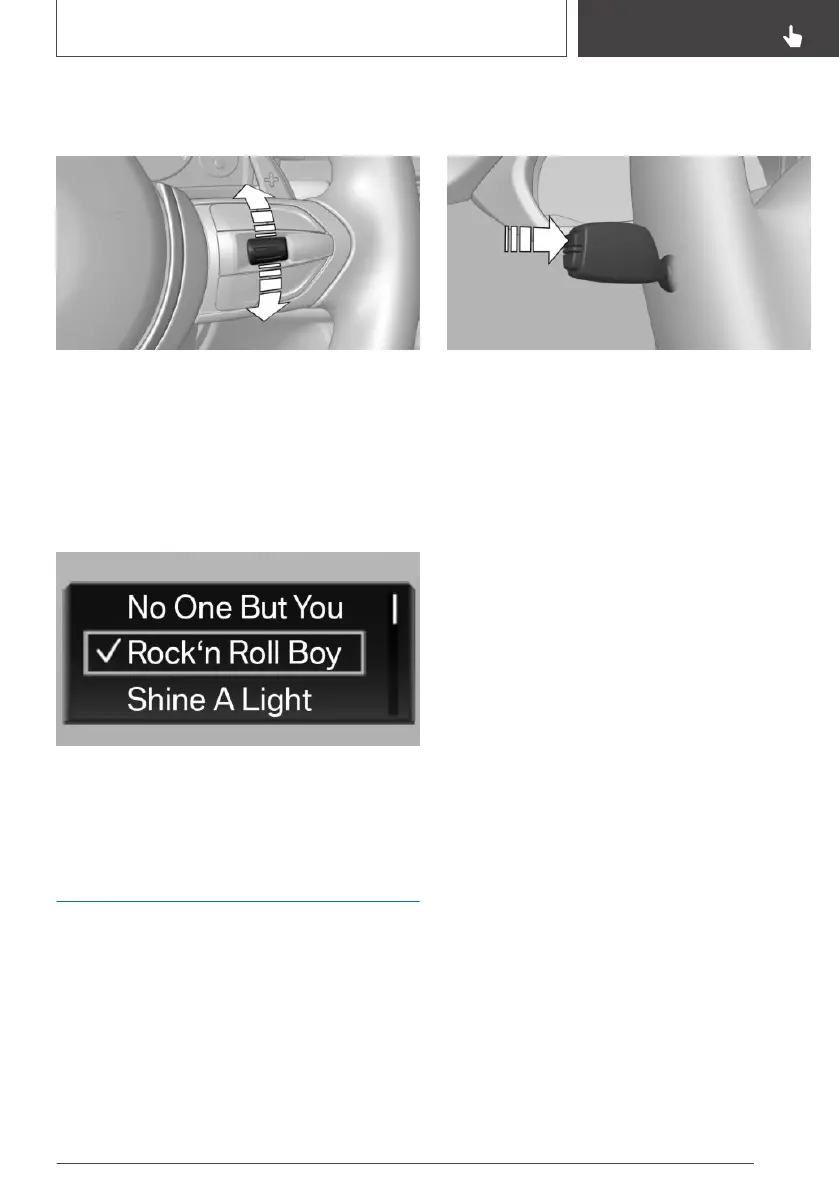
Activating a list and adjusting
the setting
On the right side of the steering wheel, turn the
thumbwheel to activate the corresponding list.
1.
Turn the thumbwheel and select the desired
setting.
2. Press the thumbwheel.
Display
Depending on the equipment version, the list in
the instrument cluster may differ from the illus‐
tration.
Onboard Computer
Concept
The Onboard Computer displays different vehi‐
cle data in the instrument cluster, such as aver‐
age values.
Calling up information on the Info
Display
Press the button on the turn signal lever.
Information is displayed in the Info Display of the
instrument cluster. Pressing the button repeat‐
edly displays additional information.
Information at a glance
Repeatedly pressing the button on the turn sig‐
nal lever calls up the following information in the
Info Display:
▷ Range.
▷ Average consumption, fuel.
▷ Current consumption, fuel.
▷ Average speed.
▷ Date.
▷ Engine temperature display.
▷ Engine oil temperature.
▷ Vehicle speed.
▷ Depending on the equipment, the time of ar‐
rival.
When destination guidance is activated in the
navigation system.
▷ Depending on the equipment, the distance to
destination.
When destination guidance is activated in the
navigation system.
Seite 129
Displays
CONTROLS
129
Online Edition for Part no. 01402720665 - II/19



 To Next Page