Settings
Permanent display
1. "CAR"
2. "Settings"
3. "Displays"
4. "Instrument panel"
5. "Central display area"
6. "Assisted Driving View"
Temporary display
1.
"CAR"
2. "Settings"
3. "Displays"
4. "Instrument panel"
5. "Display Assisted Driving View when Driver
Assistance is active"
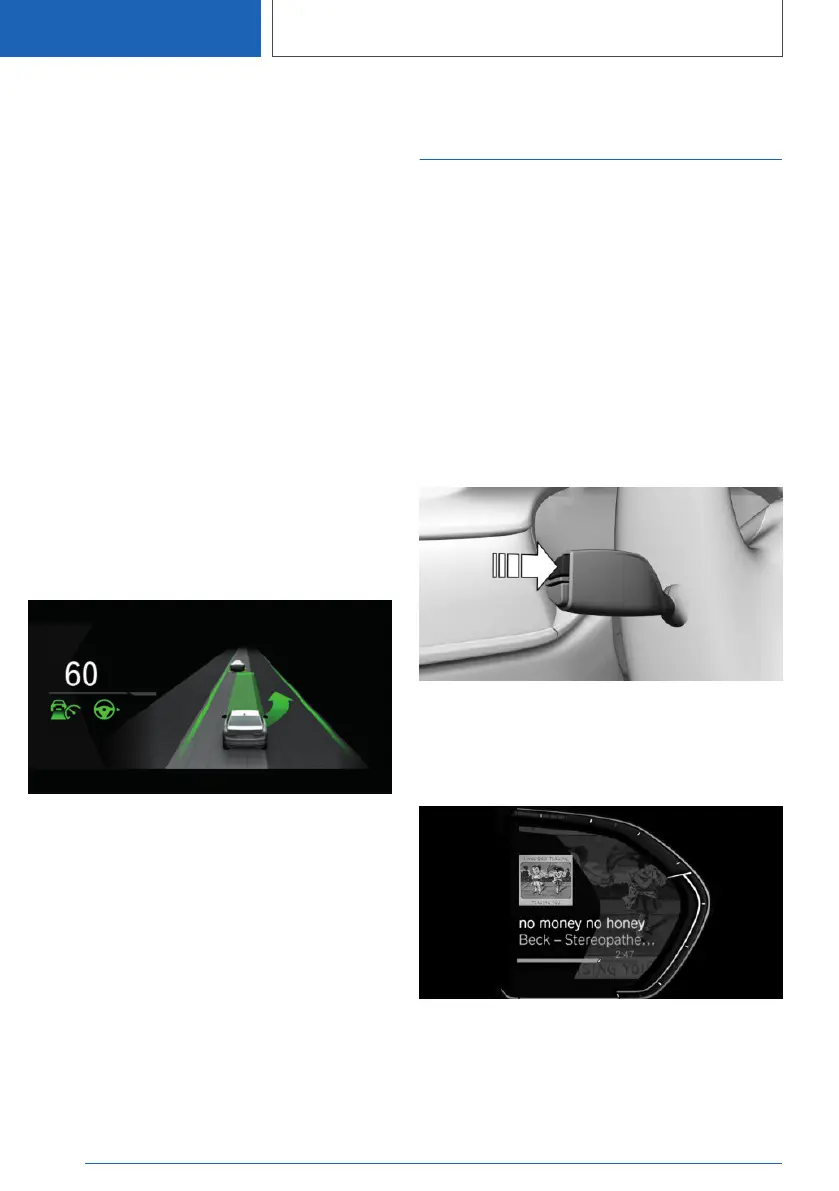
Display
Example: the indicator/warning lights for the Ac‐
tive Cruise Control with Stop & Go function ACC
and the Lane Change Assistant indicate a lane
change to the next lane. At the same time, the
lane change to the next lane is shown with ani‐
mation in the Assisted Driving View.
System limits
The system's detection potential is limited.
Only objects that are detected by the system are
taken into account.
Instrument cluster with
extended features: Widgets
Concept
Displays for specific functions can be displayed
in the instrument cluster.
The following displays can be selected:
▷ Current entertainment source, e.g., radio.
▷ Torque and power.
▷ G-Meter.
▷ Trip data.
▷ Efficiency display.
Selecting
Continue to press the button on the turn signal
lever until the desired widget is selected.
Display
Seite 146
CONTROLS
Displays
146
Online Edition for Part no. 01405A111C1 - VI/20









 To Next Page