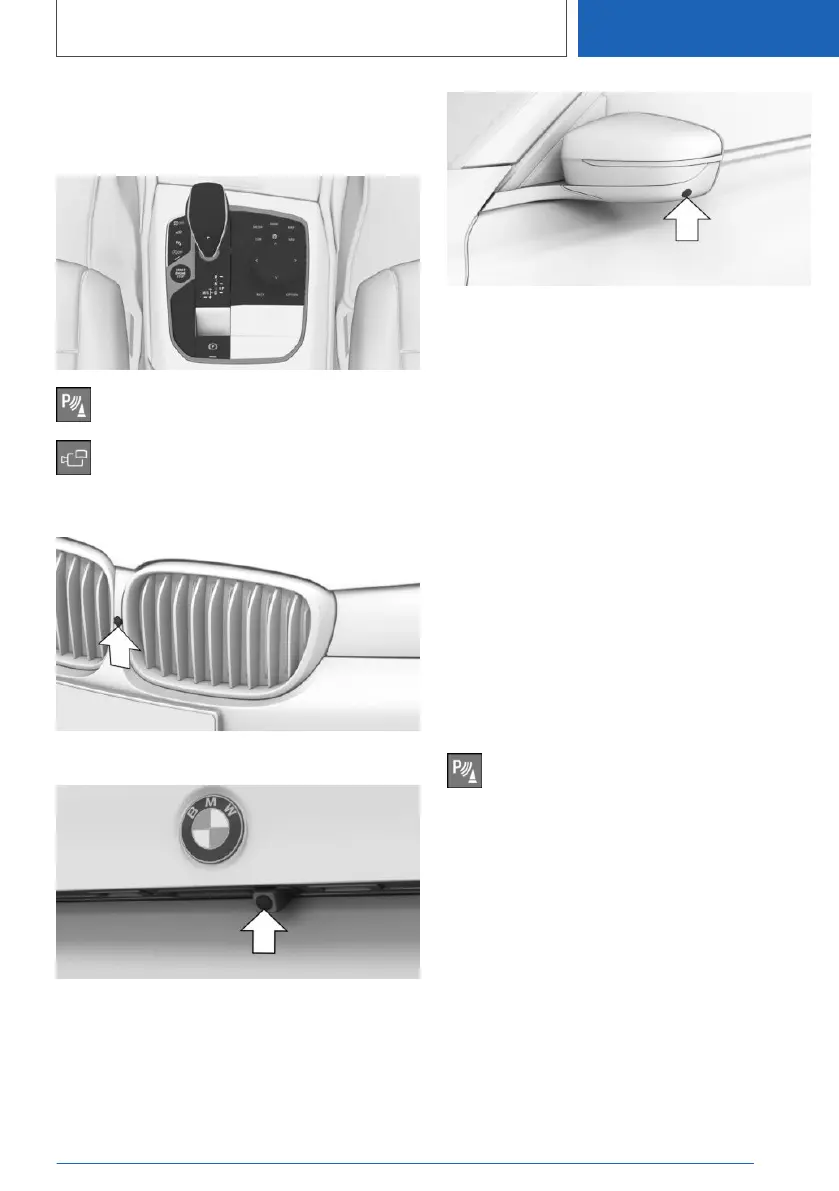
Overview
Buttons in the vehicle
Park assistance button
Panorama View
Cameras
Front camera
Rearview camera
One camera is located at the bottom of each ex‐
terior mirror housing.
The image quality may be impaired by dirt on the
camera lenses. If required, clean the camera
lenses.
Switching on/off
Switching on automatically
The system is switched on automatically if selec‐
tor lever position R is engaged when the engine
is running.
The camera perspective suitable for the respec‐
tive driving situation is displayed.
Additional information:
Switching on/off, refer to page 241.
Switching on/off manually
Press the park assistance button.
▷ On: the LED lights up.
▷ Off: the LED goes out.
The rearview camera cannot be switched off if
the reverse gear is engaged.
Automatic deactivation during
forward travel
The system switches off when a certain driving
distance or speed is exceeded.
Switch the system back on, if needed.
Seite 249
Driver assistance systems
CONTROLS
249
Online Edition for Part no. 01405A111C1 - VI/20









 To Next Page