▷ "Settings": apply settings, for instance to
use the activation points for Panorama View.
Rearview camera
This view shows the picture of the rearview cam‐
era.
Selection window
The individual camera perspectives can be se‐
lected in the selection window via iDrive.
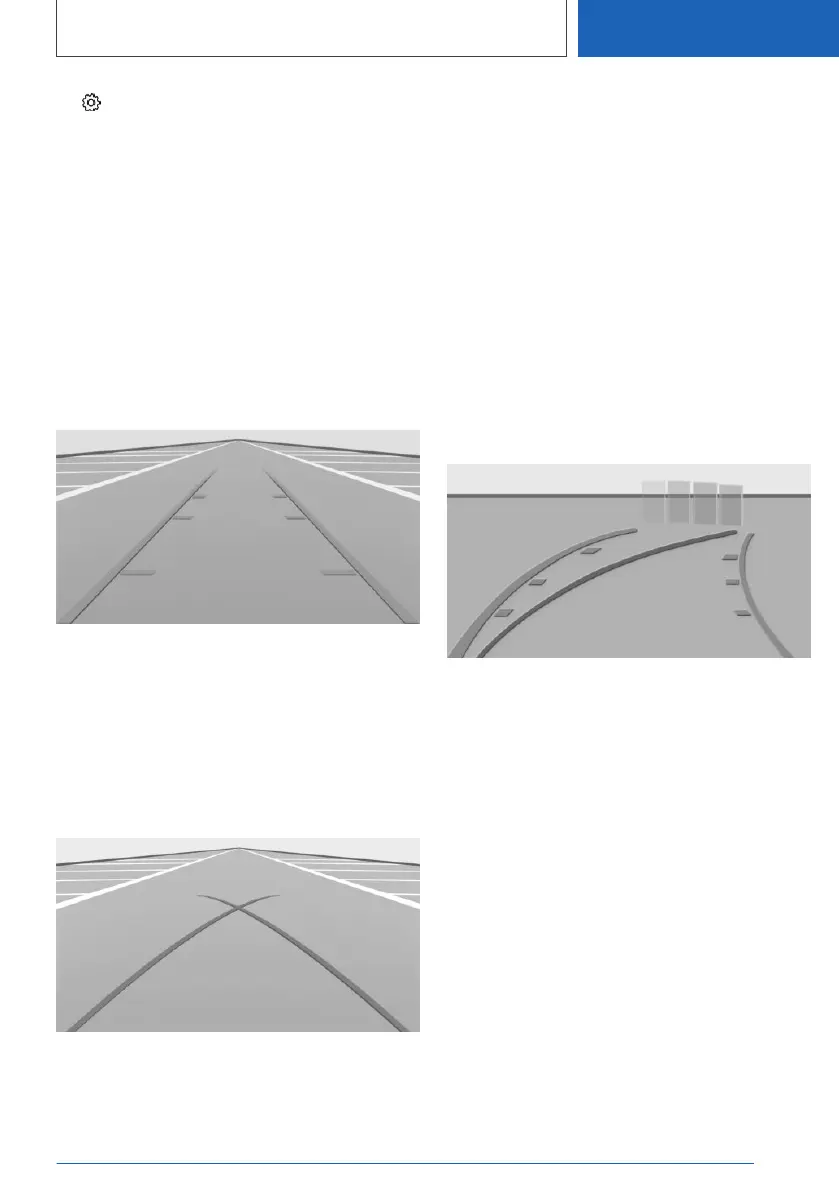
Parking aid lines
Pathway lines
Pathway lines help you to estimate the space re‐
quired when parking and maneuvering on level
roads.
Pathway lines depend on the steering angle and
are continuously adjusted to the steering wheel
movements.
Turning radius lines
Turning radius lines can only be superimposed
on the camera image together with pathway
lines.
Turning radius lines show the course of the
smallest possible turning radius on a level road.
Only one turning radius line is displayed after the
steering wheel is turned past a certain angle.
Parking using pathway and turning radius
lines
1. Position the vehicle so that the red turning ra‐
dius line leads to within the limits of the park‐
ing space.
2. Turn the steering wheel to the point where
the green pathway line covers the corre‐
sponding turning radius line.
Obstacle marking
Obstacles behind the vehicle are detected by the
PDC Park Distance Control sensors.
Obstacle markings can be shown in the camera
image.
The colored thresholds of the obstacle markings
match the markings of the PDC Park Distance
Control.
Seite 251
Driver assistance systems
CONTROLS
251
Online Edition for Part no. 01405A111C1 - VI/20









 To Next Page