The digital key will be removed from the list
of paired digital keys.
Deleting all shared keys
To be able to delete all digital keys, an authorized
vehicle key must be located in the vehicle or the
digital remote control key must be located in the
smartphone tray.
1. "CAR"
2. "Settings"
3. "Doors/Access"
4. "BMW Digital Key"
5. "Remove all Digital Keys"
Reset the function
To reset the BMW Digital Key function, an au‐
thorized vehicle key must be located in the vehi‐
cle.
When resetting the BMW Digital Key function, all
digital keys including the digital remote control
key will be deleted.
After the reset, the vehicle can no longer be un‐
locked, locked or started with a digital key.
The digital remote control key must be regis‐
tered again to be able to use BMW Digital Key
again.
1.
"CAR"
2. "Settings"
3. "Doors/Access"
4. "BMW Digital Key"
5. "Reset function"
Unlocking and locking the
vehicle
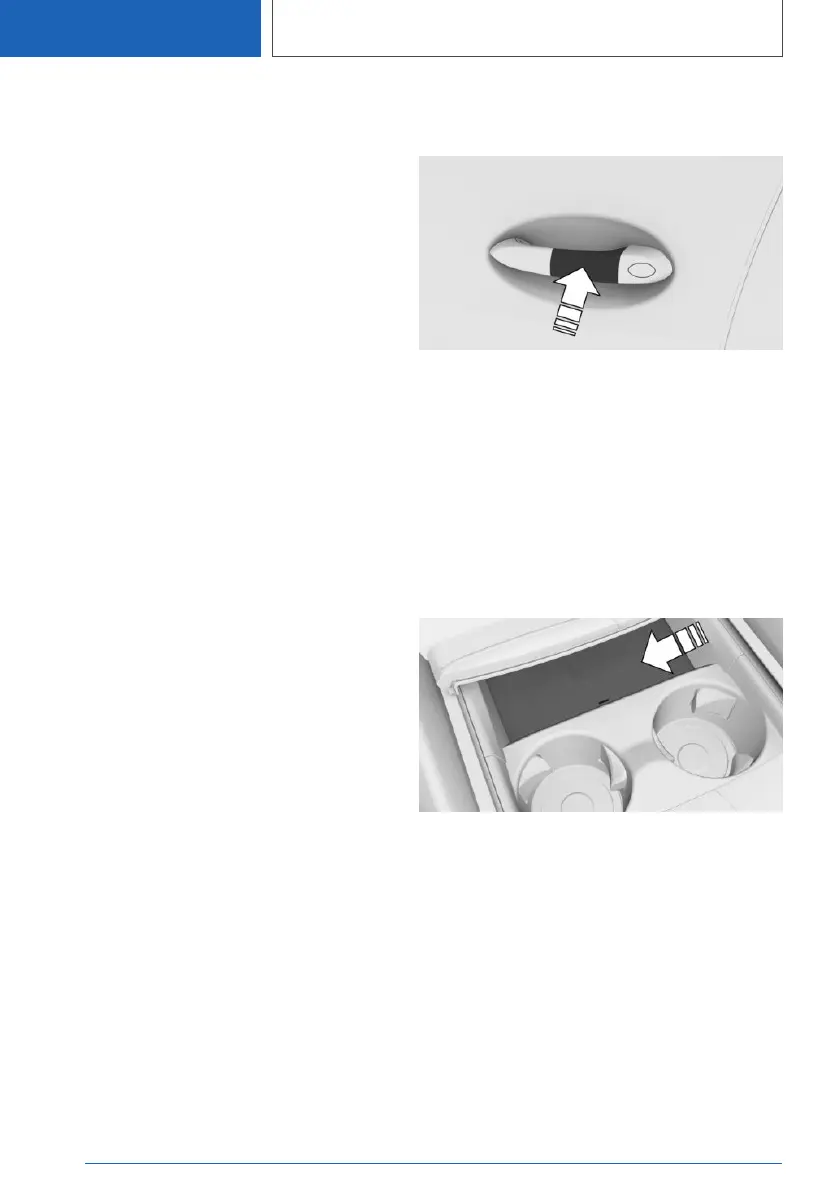
Hold the near field communication antenna of
the smartphone directly and centered on the
outside door handle of the driver's door.
The position of the near field communication an‐
tenna depends on the smartphone model.
When locking the vehicle with the smartphone,
make sure that all doors including the trunk lid
are closed.
Starting the engine
1.
Open the cover of the smartphone tray.
2. Place smartphone centered into the smart‐
phone tray.
3. Press the Start/Stop button to start the en‐
gine.
Sale of the smartphone
Delete all digital keys on the smartphone prior to
selling the smartphone. This ensures that that
the smartphone is deactivated for the vehicle.
Seite 86
CONTROLS
Opening and closing
86
Online Edition for Part no. 01405A111C1 - VI/20









 To Next Page