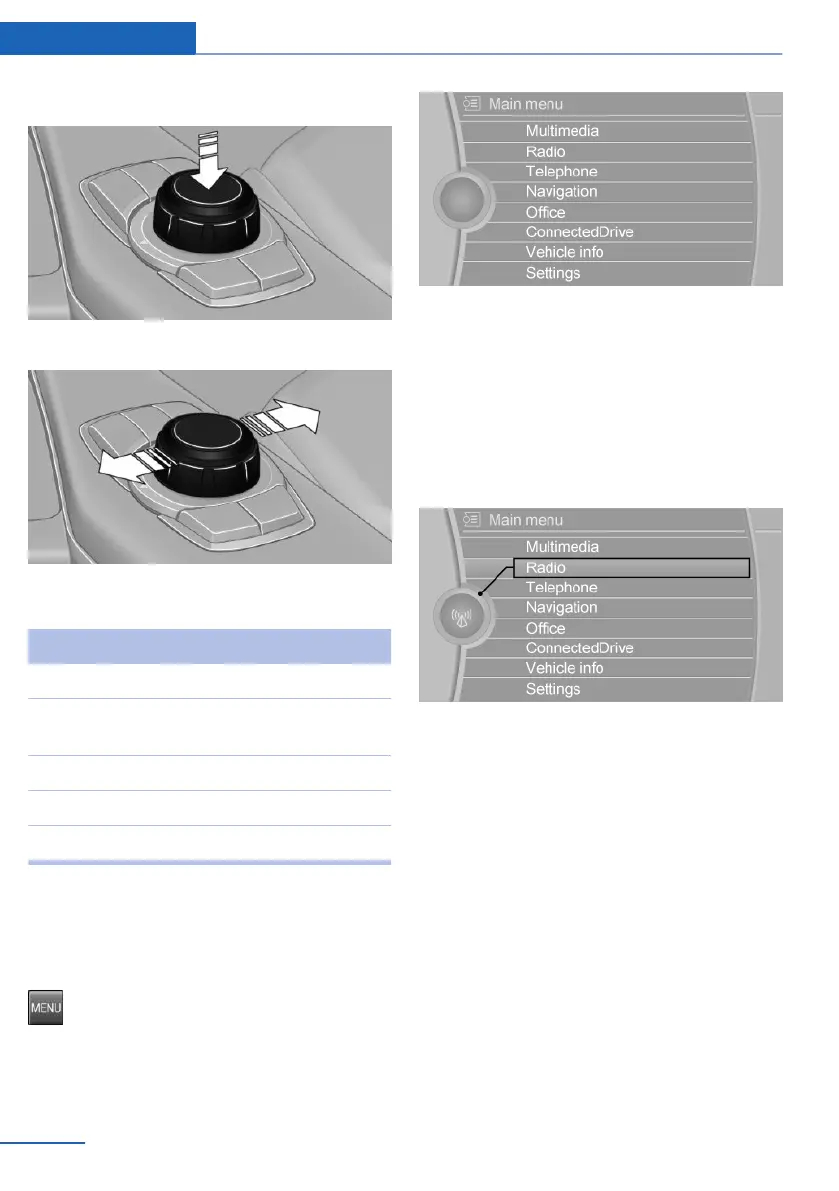
2. Press.
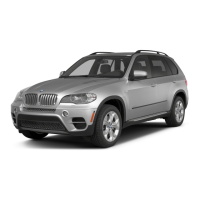
3. Move in two directions.
Buttons on the controller
Button Function
MENU Opens the main menu.
AUDIO Open audio menu last listened to,
switch between audio menus.
TEL Opens the Phone menu.
BACK Open previous panel.
OPTION Open the Options menu.
Operating concept
Opening the main menu
Press button.
The main menu is displayed.
All iDrive functions can be called up via the
main menu.
Selecting menu items
Highlighted menu items can be selected.
1.
Turn the controller until the desired menu
item is highlighted.
2. Press the controller.
Menu items in the Owner's Manual
In the Owner's Manual, menu items that can be
selected are set in quotation marks, e.g.,
"Settings".
Changing between panels
After a menu item is selected, e.g., "Radio", a
new panel is displayed. Panels can overlap.
▷ Move the controller to the left.
Closes current panel and shows previous
display.
Reopens previous display by pressing
BACK button. In this case, the current
panel is not closed.
▷ Move the controller to the right.
Seite 20
At a glance iDrive
20
Online Edition for Part no. 01 40 2 973 026 - VI/16



 To Next Page