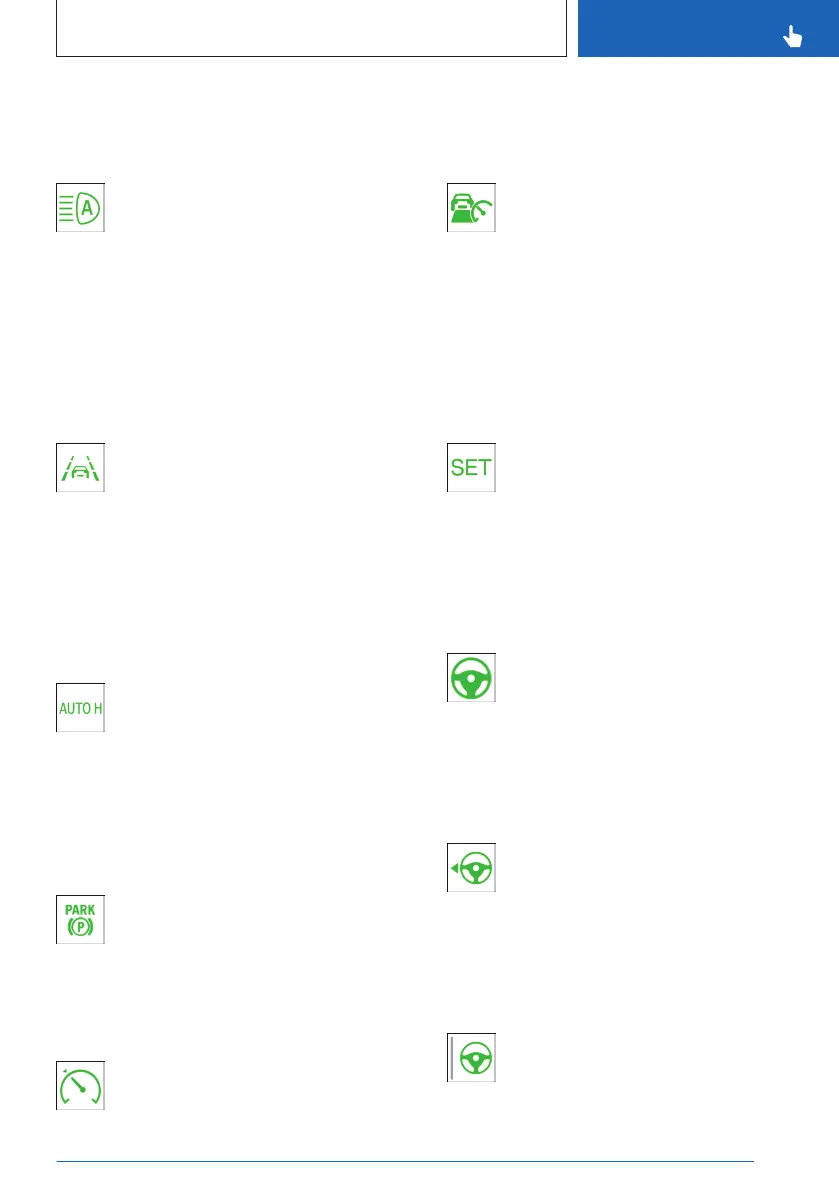
Parking lights, low beams, refer to page 162.
Automatic High Beam Assistant
Low beams are switched on and the
Automatic High Beam Assistant is acti-
vated.
High beams are switched on and off automati-
cally depending on the traffic situation.
Additional information:
Automatic High Beam Assistant, refer to
page 160.
Lane departure warning
Depending on vehicle equipment and
national-market version:
Indicator light flashes: the system is
performing a steering intervention.
Additional information:
Lane departure warning, refer to page 186.
Automatic Hold: vehicle is held
automatically
Automatic Hold is ready to use. The
vehicle is automatically held in place
when it is stationary.
Additional information:
Automatic Hold, refer to page 131.
Automatic Hold: vehicle secured
against rolling away
The vehicle is automatically secured
against rolling away after stopping.
Additional information:
Automatic Hold, refer to page 131.
Cruise Control
The system is active.
Additional information:
Cruise control, refer to page
226.
Distance Control
Indicator light illuminates: Vehicle has
been detected ahead of you. The vehi-
cle icon goes out if no vehicle has been
detected ahead of you.
Indicator lamp is flashing: vehicle ahead is
driving off.
Additional information:
Distance control, refer to page 228.
Speed Limit Assist
The detected speed limit can be ap-
plied with the SET button. As soon as
the speed limit has been applied, a
green checkmark is displayed.
Additional information:
Speed Limit Assistant, refer to page 243.
Assisted Driving Mode
The system supports the driver in
keeping the vehicle within the lane.
Additional information:
Assisted Driving Mode, refer to page 234.
Lane Change Assistant: lane change in
progress
Arrow icon for lane change green: the
system carries out a lane change.
Additional information:
Lane Change Assistant, refer to page 238.
Lane Change Assistant: lane change
not possible
Gray line for lane boundary on the ap-
propriate side: system detected a lane
change request. Lane change not cur-
rently possible.
Seite 145
Displays
CONTROLS
145
Online Edition for Part no. 01405A8A608 - VI/23



 To Next Page