Possible gestures
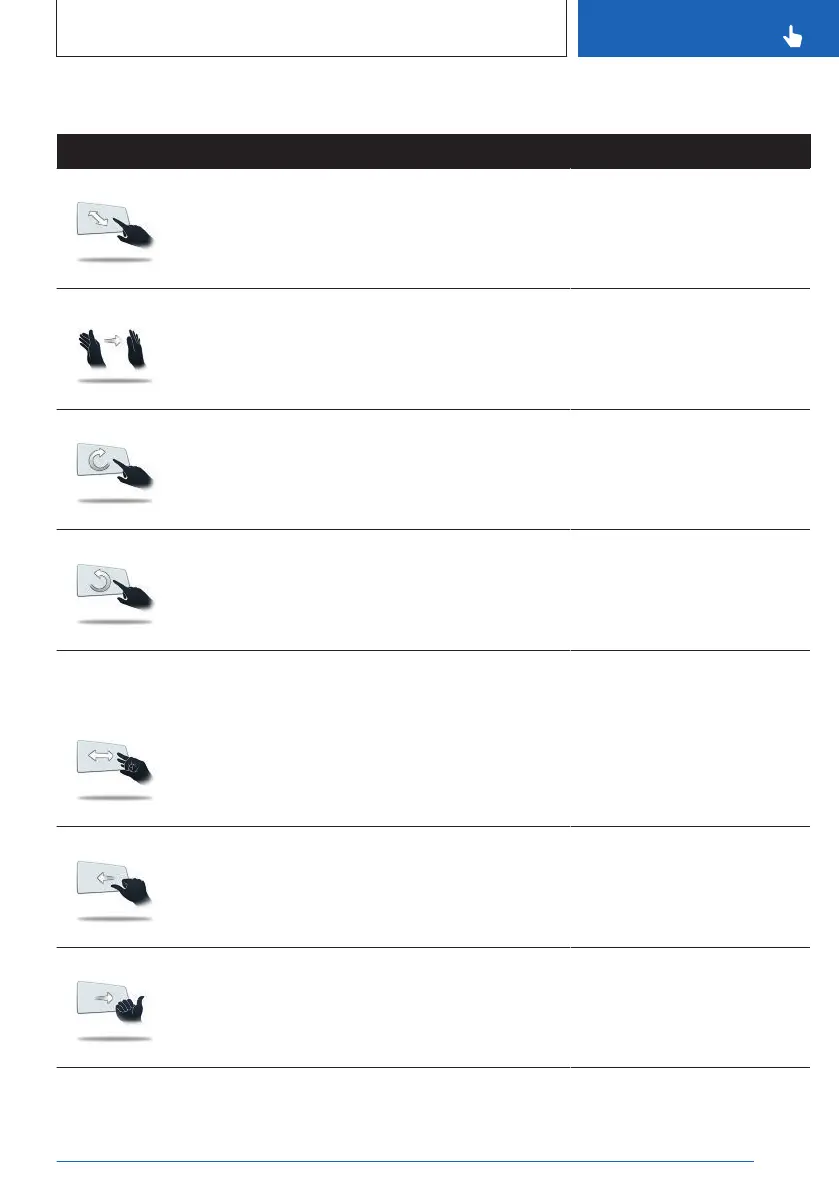
Gesture Operation Function
Move extended index finger forward and
backward in the direction of the control
display.
Accept call.
Select a highlighted entry in a
list during voice control.
Confirm pop-up.
Swipe the hand in front of the control
display in the direction of the passenger
seat.
Reject call.
Close pop-up.
End voice control.
Move extended index finger slowly in a
clockwise circular movement.
Gesture is detected after one circular
movement.
Increase the volume.
Move the extended index finger counter-
clockwise in a circular movement.
Gesture is detected after one circular
movement.
Reduce the volume.
Depending on the
equipment:
Bring thumb and index finger together
and move the hand to the right or left.
Turn vehicle in the Live Vehi-
cle view.
3D view: rotate camera view.
This gesture can only be exe-
cuted while the vehicle is sta-
tionary.
Move fist with thumb extended to the left
back and forth.
Reverse Skip function.
The previous title is played.
Move fist with thumb extended to right
left back and forth.
Forward Skip function.
The next title is played.
Seite 61
BMW iDrive
CONTROLS
61
Online Edition for Part no. 01405A8A608 - VI/23



 To Next Page