▷ Torque.
▷ Power.
Displays
Via iDrive:
1. "CAR"
2. "Driving information"
3. "Sport displays"
Display in the instrument cluster
The Sport displays can be displayed in form of
two widgets in the instrument cluster, refer to
page 131.
The following widgets can be selected:
▷ Widget for torque and power.
▷ Widget for acceleration power.
Vehicle status
General information
The status can be displayed and actions per‐
formed for several systems.
Opening the vehicle status
Via iDrive:
1.
"CAR"
2. "Vehicle status"
Information at a glance
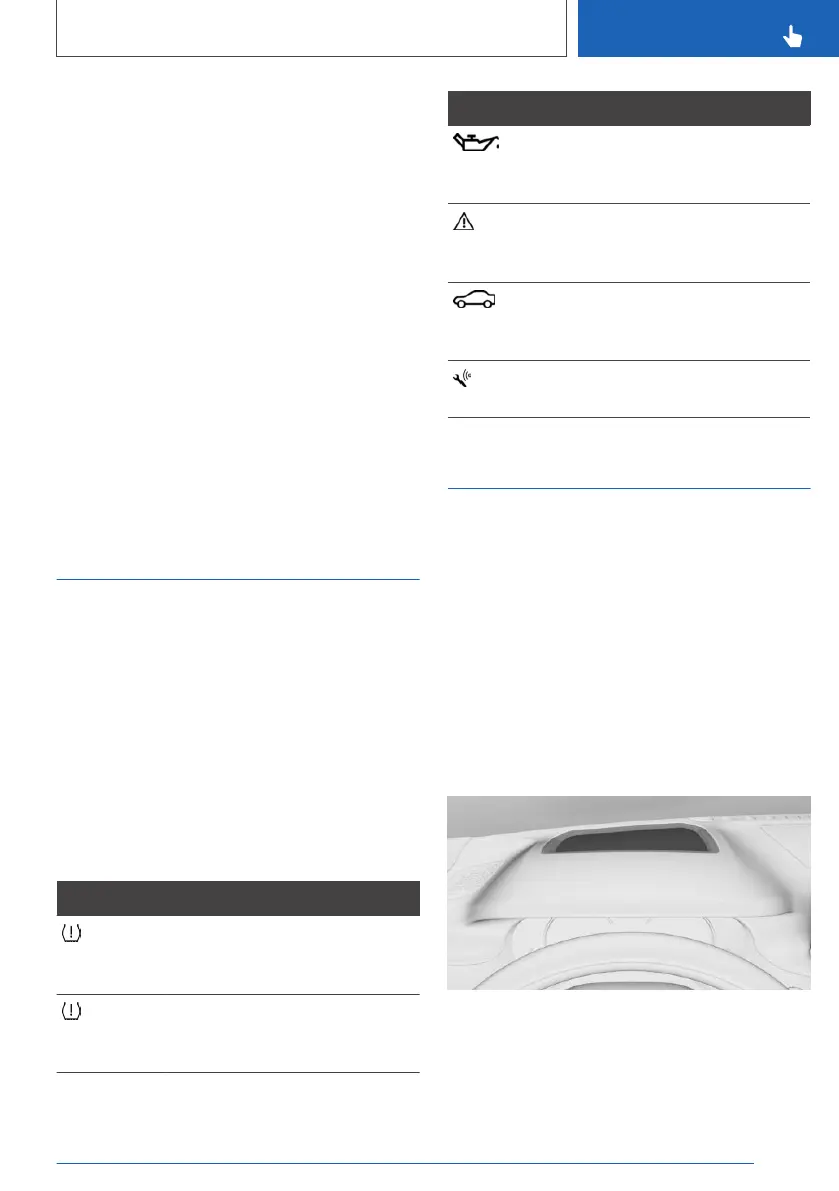
Symbols Description
"Flat Tire Monitor": status of the
Flat Tire Monitor, refer to
page 272.
"Tire Pressure Monitor": status
of the Tire Pressure Monitor, re‐
fer to page 265.
Symbols Description
"Engine oil level": electronic oil
measurement, refer to
page 284.
"Check Control": displaying
stored Check Control mes‐
sages, refer to page 133.
"Service schedule": displaying
service requirements, refer to
page 137.
"TeleService Call": Service Re‐
quest.
Head-up Display
Concept
This system projects important information into
the driver's field of vision, for instance the speed.
The driver can get information without averting
his or her eyes from the road.
General information
Follow the information on cleaning the Head-up
Display, refer to page 306.
Overview
Seite 143
Displays
CONTROLS
143
Online Edition for Part no. 01402779113 - II/19



 To Next Page