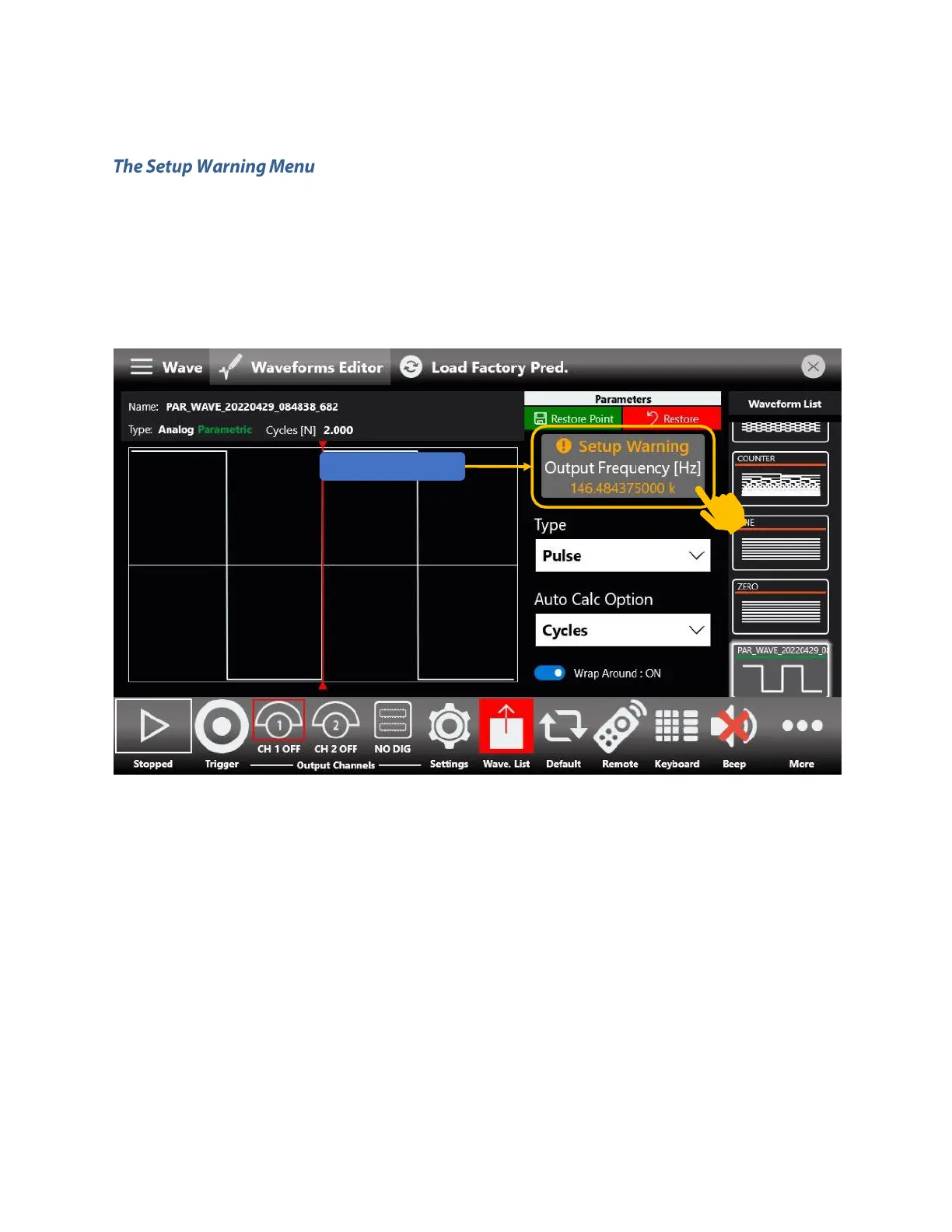
The setup warning is a feature that comes with those waveform types that sport Auto Calc (i.e., Pulse,
Sine, Square).
Sometimes the set of values assigned to parameters part of the Auto Calc domain, which are Frequency,
Sampling Rate, Length, Cycles leads to an unfeasible setup.
This behavior is highlighted by the Setup Warning message, which appears as soon as this condition arises.
Tapping on the setup warning message, will open a small pop up with a brief description of what is
happening.
Furthermore, it also may offer suggestions regarding those same parameters, so that the user-set output
frequency is correctly synthesized, as shown in the image below. You can directly apply those values from
within the pop-up message, or note them down and manually input them.
Note though that these suggestions aren’t always guaranteed to be available.



 To Next Page