Note:
Synchronize data at least once a day to avoid data loss in the watch.
SYNCING YOUR SMARTWATCH TO THE APP
• Open the app on your phone.
• Make sure your Storm Call is connected to the app
• Synchronization will start automatically once you enter the app interface.
Data Synchronization
NAVIGATING THROUGH THE FUNCTIONS
SHORT PRESS SIDE BUTTON FOR THE MAIN MENU
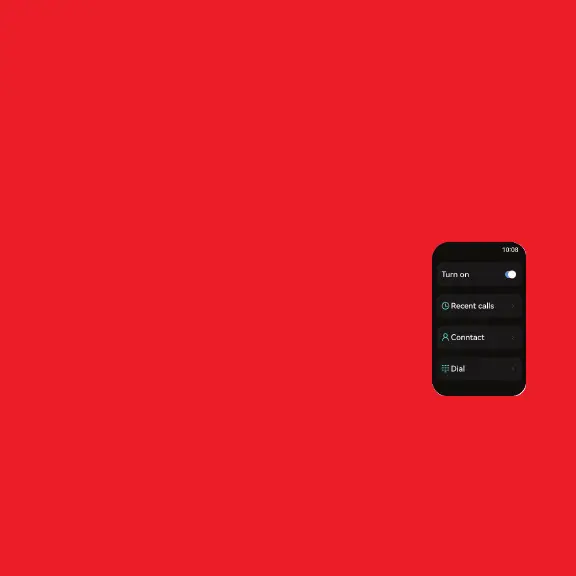
Call
Dialer
You can use the dialer to dial any number.
Note: Make sure your watch is connected to the phone’s Bluetooth.
Phone Book
Add up to 20 contacts from boAt Crest app. You can select any
contact to directly dial from the watch.
Call History
You can find recently received, missed, and outgoing call logs in
the Call History of the watch.
Call



 To Next Page