1
A
P–16625
C
1
P–21181
331/331E/334 Excavator
Operation & Maintenance Manual
3
INSTRUMENTS AND CONSOLES
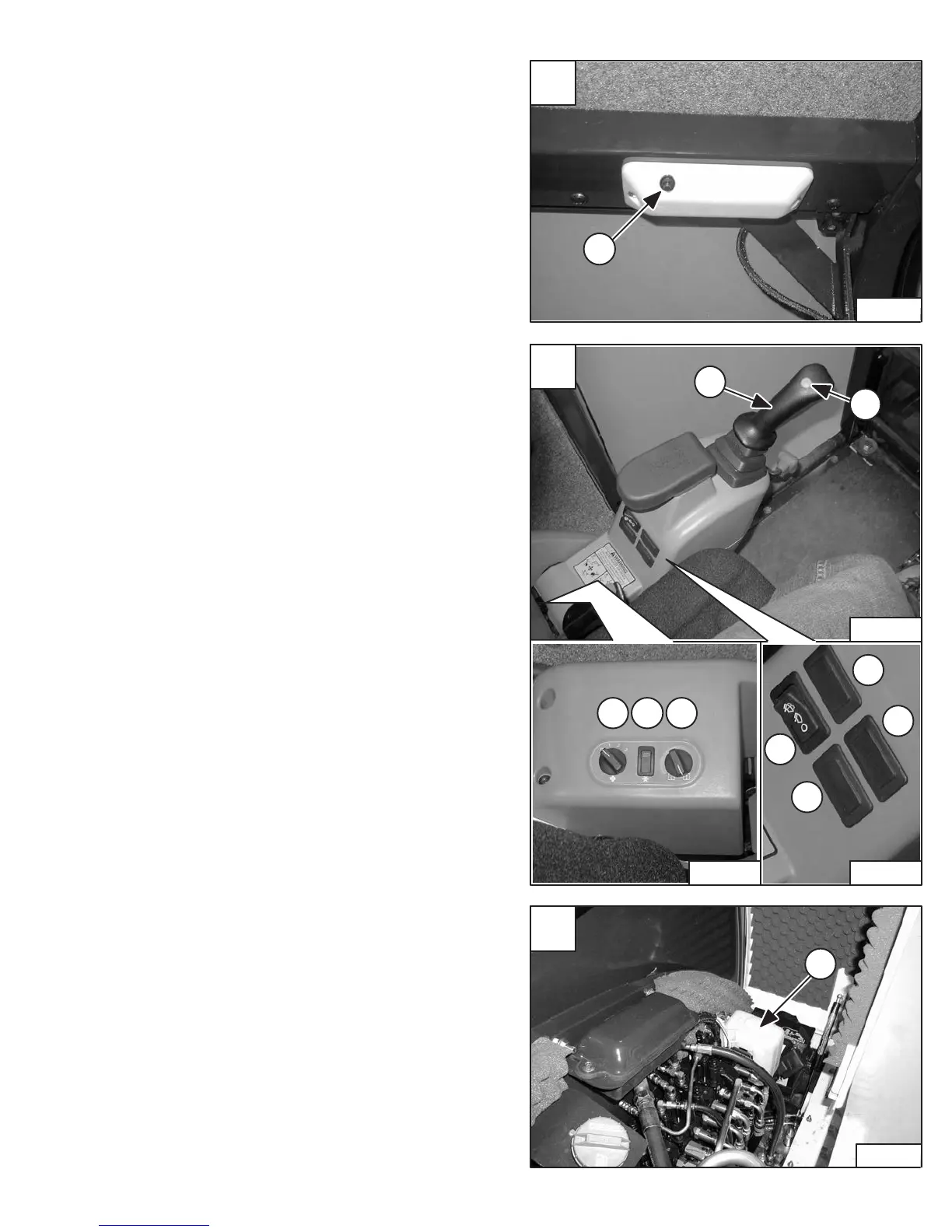
Cab Interior Light (If Equipped)
Press the button (Item 1) [A] to turn the light ON. Press
again to turn OFF.
Left Console [B]
1. Left Control Lever (Joystick) – (See HYDRAULIC
CONTROLS Page 11.
2. Horn – Press the button on the Control Lever to
sound the horn.
Heater / Air Conditioner (With Cab Option Only)
3. Fan Motor – Turn clockwise to increase fan speed;
counterclockwise to decrease. There are four
positions; OFF – 1 – 2 – 3.
4. Air Conditioner – Press the top of the switch to turn
the Air Conditioner ON (light in switch will be ON);
press bottom to turn OFF.
5. Temperature Control – Turn clockwise to increase
temperature; counterclockwise to decrease.
Switch Panel
6. Future Use
7. Future Use
8. Wiper / Washer Switch – Press the switch to the
left to start the wiper. The switch will stay in this
position.
Press to the right to turn the wiper OFF.
Press and hold to the left to turn the washer ON to
help clean the window. The switch will return to the
ON position when released
9. Future Use
Wiper / Washer Fluid Reservoir (If Equipped)
The reservoir (Item 1) [C] is located under the access cover
on the right side of the excavator.
Use an antifreeze washer solution in freezing
temperatures.
B
543
2
6
7
8
9
1
P–16619
P–16617 P–16618


 To Next Page
 Loading...