BLOWER FAN
Removal
And
Installation
IMPORTANT
Be careful
not
to
damage the fan blades.
1-213~97
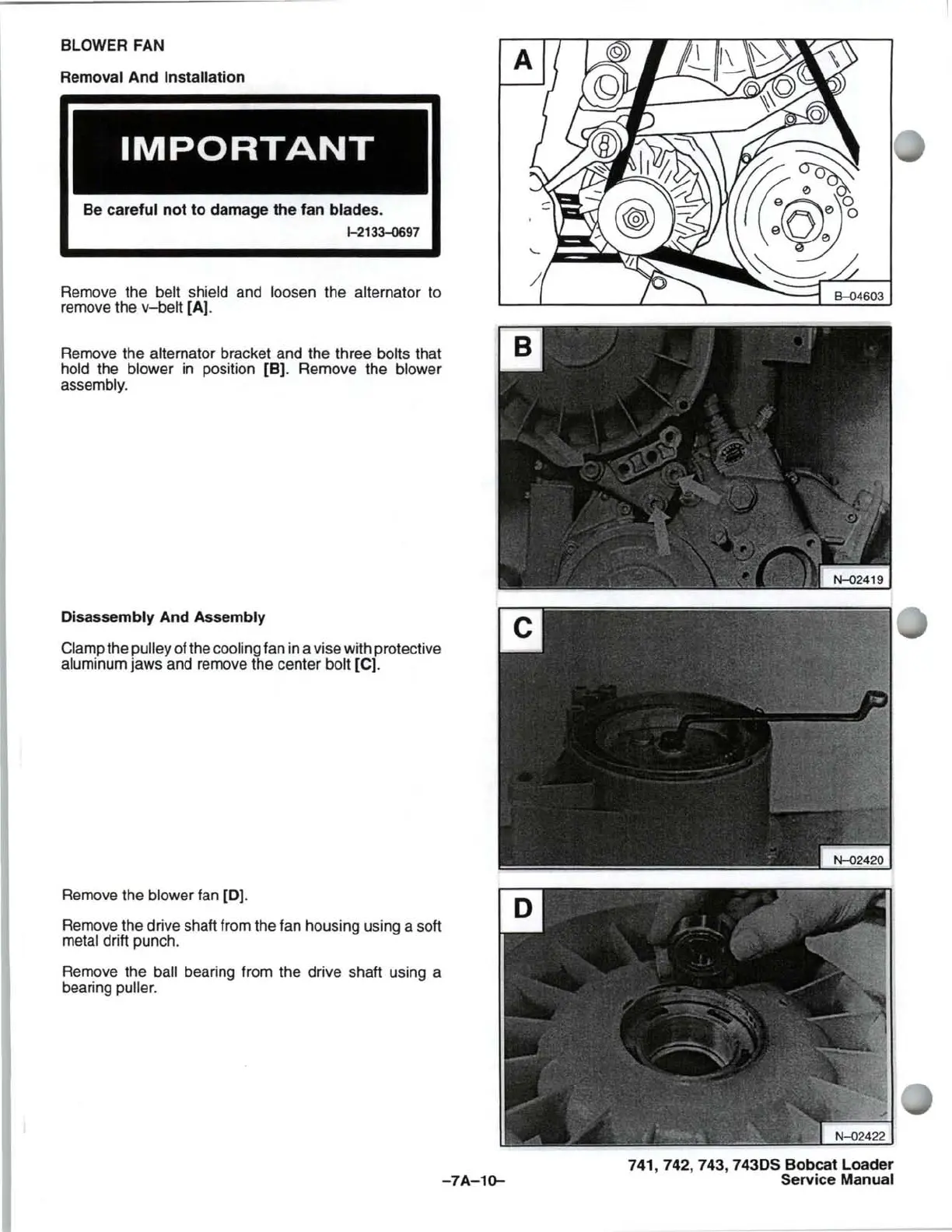
Remove the belt shield and loosen the alternator to
remove the
v-belt
[AJ
.
Remove the
alternator bracket and the three bolts that
hold the blower
in
position [B). Remove the blower
assembly.
Disassembly And Assembly
Clamp the pulley of the cooling fan in a vise with protective
aluminum jaws and remove the center bolt [C).
Remove the
blower fan [0).
Remove the drive shaft from the fan housing using a soft
metal drift punch.
Remove the
ball bearing from the drive shaft using a
bearing
puller.
-7A-1~
741,742,743,
7430S Bobcat Loader
Service
Manual



 To Next Page