163 S130 Operation & Maintenance Manual
PASSWORD SETUP (KEYLESS START PANEL)
Password Description
Master Password:
A permanent, randomly selected password set at the
factory which cannot be changed. This password is
used for service by the Bobcat dealer if the owner
password is not known; or to change the owner
password.
Owner Password:
Allows for full use of the loader. It must be used to
change the owner password.
Changing The Owner Password
Press the RUN button to turn on the loader electrical
system.
Enter the five digit owner password using the number
keys (1 through 0) if locked.
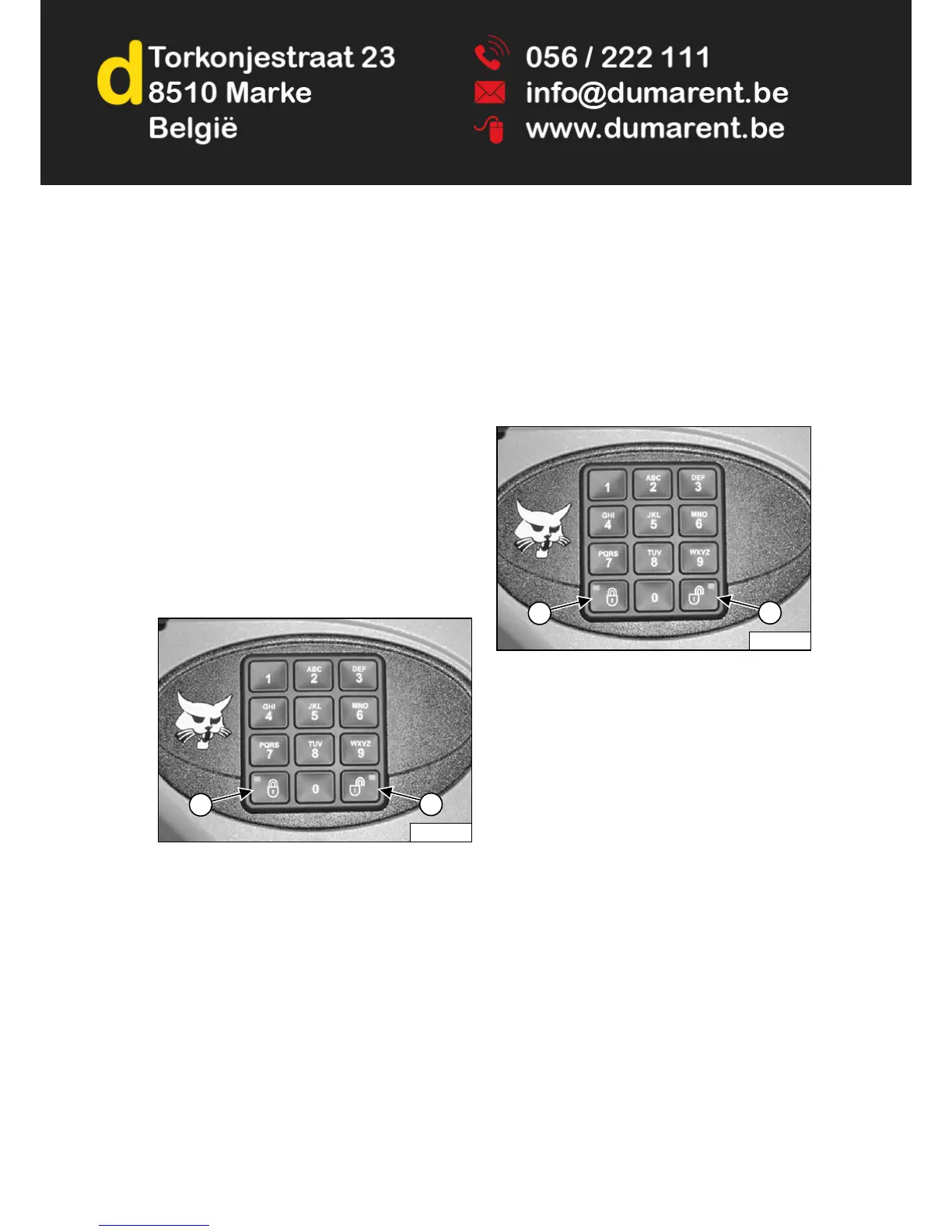
Figure 241
Press and hold the lock (Item 1) and unlock (Item 2)
[Figure 241] keys for two seconds.
The lock key red light will flash and the left panel display
screen will show [ENTER].
Enter a new five digit password using the number keys (1
through 0). An asterisk will show in the left panel display
screen for each key press.
The left panel display screen will show [AGAIN].
Enter the new five digit password again.
The lock key red light will become solid.
Password Lockout Feature
This feature allows the owner to unlock the password
feature so that a password does not need to be used
every time the engine is started.
Press the RUN button to turn on the loader electrical
system.
Enter the five digit owner password using the number
keys (1 through 0).
Figure 242
Press the unlock key (Item 2) [Figure 242].
The left panel display screen will show [CODE].
Enter the five digit owner password using the number
keys (1 through 0). The unlock key green light will flash,
then become solid.
The loader can now be started without using a password.
NOTE: Use the following procedure to reset the
machine lock so that the loader requires a
password to start the engine.
Press the RUN button to turn on the loader electrical
system.
Press the lock key (Item 1) [Figure 242].
The lock key red light will flash and the left panel display
screen will show [CODE].
Enter the five digit owner password using the number
keys (1 through 0). The unlock key green light will flash,
then the lock key red light will become solid.
You must now enter the password every time to start the
loader.


 To Next Page
 Loading...