57 S130 Operation & Maintenance Manual
SPEED MANAGEMENT (CONT’D)
Changing The Factory Default Setting
The Speed Management factory default setting can be
changed by the operator to save adjustment time.
EXAMPLE: Your machine is often used for
trenching and you prefer a Speed Management
setting of 28% of Standard Travel Speed for that
application. The Speed Management default
setting can be changed to 28% of Standard Travel
Speed instead of the factory default setting of
57%. Each time you start the machine and first
select Speed Management, the machine will
default to 28% of Standard Travel Speed.
Engage Speed management. (See Operation on Page
56.)
Figure 44
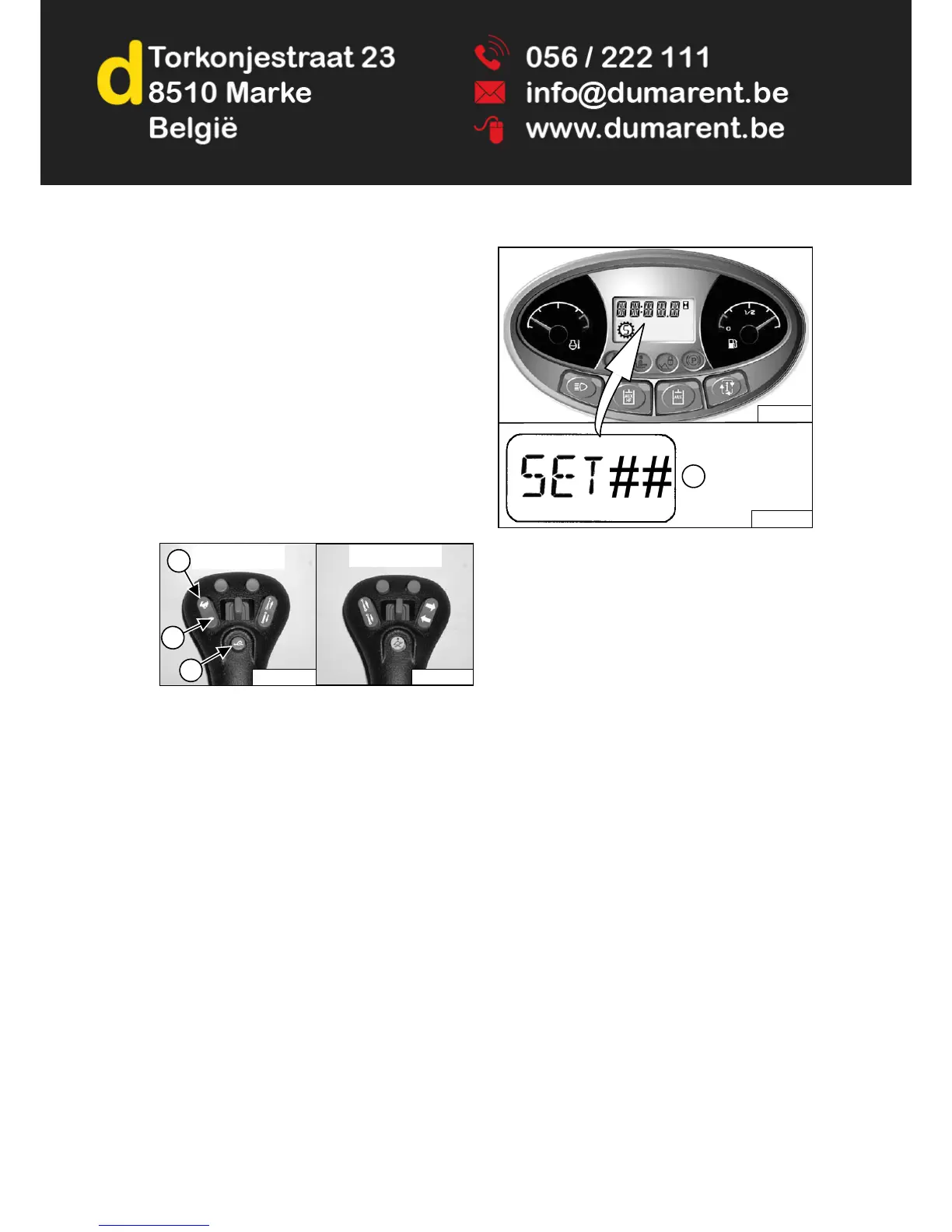
Adjust the speed percentage higher (Item 2) or lower
(Item 3) [Figure 44] by pressing the Speed Control
switch until the desired default setting is displayed.
Press and hold the button (Item 1) [Figure 44] on the left
joystick to save the default setting.
Figure 45
The alarm will beep once, display [SET ##] (## will be the
percentage you selected) (Item 1) [Figure 45] and
remain in Speed Management mode.
Pressing the button (Item 1) [Figure 44] on the left
joystick or turning the machine off will disengage Speed
Management and return the loader to Standard Travel
Speed.
When Speed Management is first selected each time the
machine is started, the percentage you selected will be
the default setting. Speed Management can still be
adjusted from 1% to 99% of Standard Travel Speed.
The default setting can be changed any time the operator
chooses.


 To Next Page
 Loading...