S250 Bobcat Loader
OI-32 Operation & Maintenance Manual
MONITORING THE DISPLAY PANEL
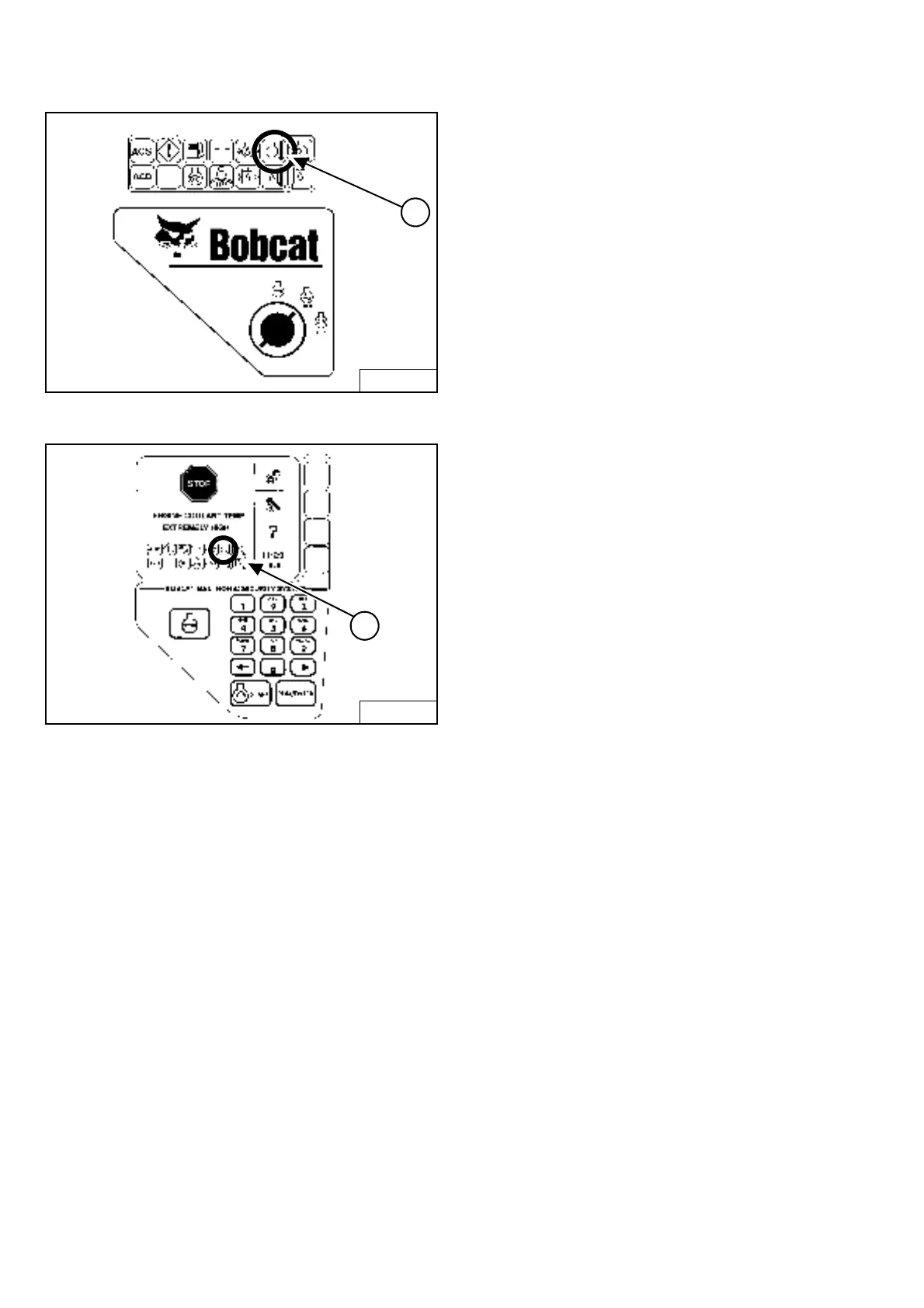
Figure OI-59
Figure OI-60
After the engine is running, frequently monitor the right
instrument panel [Figure OI-59] (Standard Panel) and
[Figure OI-60] (Deluxe Panel) for error conditions.
The associated icon will be ON if there is an error
condition.
EXAMPLE: Engine Coolant Temperature is High
Standard Panel
The Engine Temperature Icon (Item 1) [Figure OI-59]
and [Figure OI-60] will be ON.
Press and hold LIGHTS Button for 2 seconds. One of the
following SERVICE CODES will be displayed.
• 08-10 Engine Coolant Temperature High
• 08-11 Engine Coolant Temperature Very High
Deluxe Panel
The Engine Temperature Icon (Item 1) [Figure OI-60] will
be ON.
The SERVICE CODE will be in the hourmeter / code
display (See left instrument panel).
In addition, the Deluxe Panel display screen will describe
the extreme condition that can cause damage to the
engine or loader systems [Figure OI-60].
WARNING and SHUTDOWN
When a WARNING condition exists, the associated Icon
light will come ON and there will be 3 beeps from the
alarm. Be aware that, if this condition is allowed to
continue, there may be damage to the engine or loader
hydraulic systems.
When a SHUTDOWN condition exists, the associated
Icon light will come ON and there will be a continuous
beep from the alarm and the monitoring system will
automatically stop the engine in 10 seconds. The engine
can be restarted to move or relocate the loader.
The SHUTDOWN feature is associated with the following
Icons:
General Warning
Engine Oil Pressure
Engine Coolant Temperature
Hydraulic Oil Temperature
Hydrostatic Charge Pressure
Whenever STOP appears on the display screen, lower
the lift arms all the way, put the attachment flat on the
ground and stop the engine to prevent damage to the
engine or loader systems.
B-15552B
1
B-15553A
1


 To Next Page
 Loading...