64 S450 Operation & Maintenance Manual
PARKING BRAKE
Operation
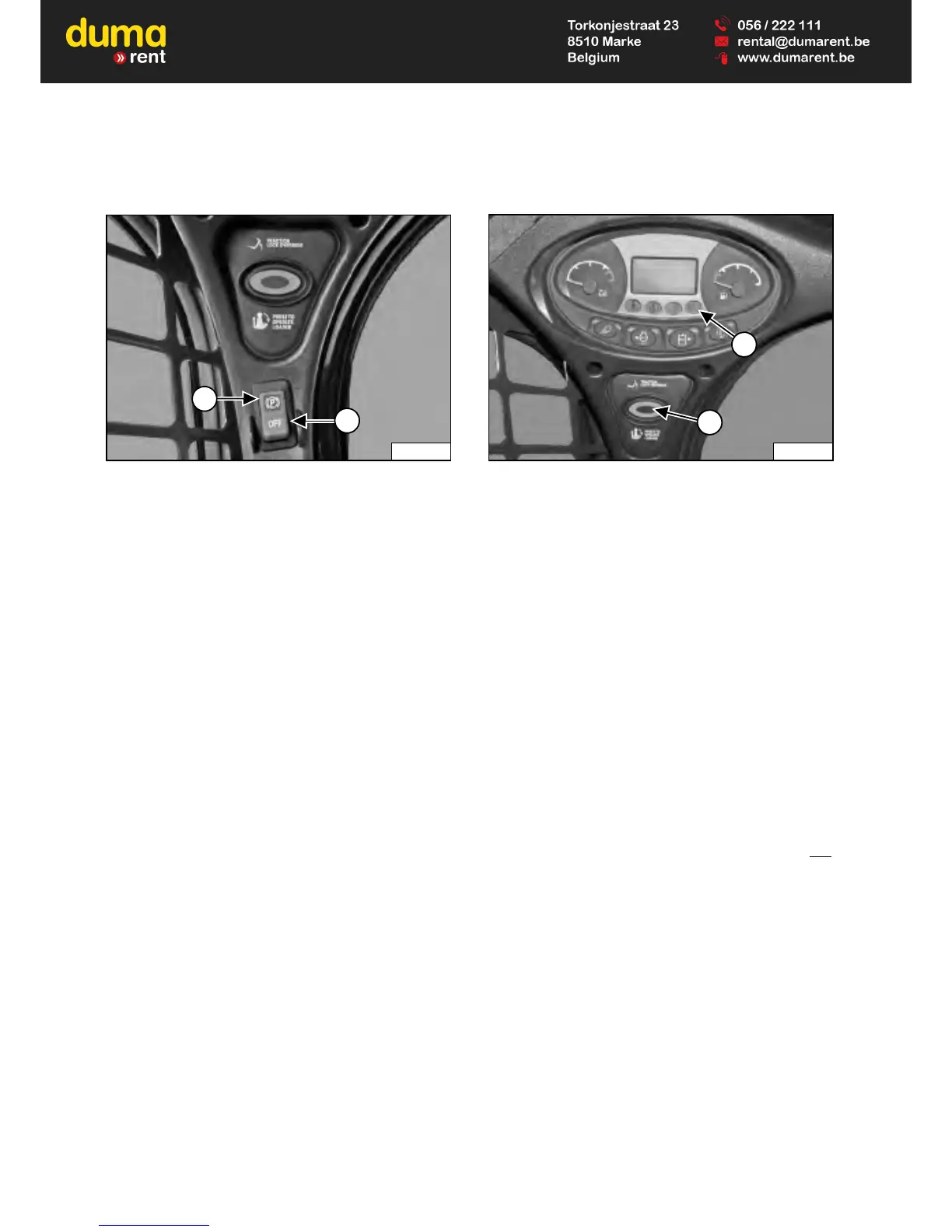
Figure 35
Press the top of the switch (Item 1) [Figure 35] to
engage the parking brake. The red light in the switch will
turn ON. The traction drive system is locked.
Move steering levers or joystick(s) slowly forward and
backward. The TRACTION lock must be engaged. See
your Bobcat dealer for service if loader fails to stop.
Press the bottom of the switch (Item 2) [Figure 35] to
disengage the parking brake. The red light in the switch
will turn OFF. The traction drive system is unlocked.
NOTE: The PARKING BRAKE light on the left
instrument panel will remain ON until the
engine is started, the PRESS TO OPERATE
LOADER button is pressed, and the parking
brake is disengaged.
TRACTION LOCK OVERRIDE
Description
Figure 36
(Functions Only When The Seat Bar Is Raised And The
Engine Is Running) There is a TRACTION LOCK
OVERRIDE button (Item 1) [Figure 36] on the left
instrument panel that will allow you to use the steering
controls to move the loader forward and backward when
using the backhoe attachment.
Operation
Press the TRACTION LOCK OVERRIDE button once to
unlock traction drive. The PARKING BRAKE light (Item 2)
[Figure 36] is OFF.
Press the button a second time to lock the traction drive.
The PARKING BRAKE light (Item 2) [Figure 36] is ON.
NOTE: The TRACTION LOCK OVERRIDE button will
unlock the traction drive when the seat bar is
raised and the engine is running.
NOTE: The TRACTION LOCK OVERRIDE button will
function if the parking brake is in the engaged
or disengaged position and the engine is
running. If the Parking Brake switch is turned
ON, the red light in the Parking Brake switch
will turn OFF when TRACTION LOCK
OVERRIDE is engaged.


 To Next Page
 Loading...