50 S650 Operation & Maintenance Manual
INSTRUMENT PANEL IDENTIFICATION (CONT’D)
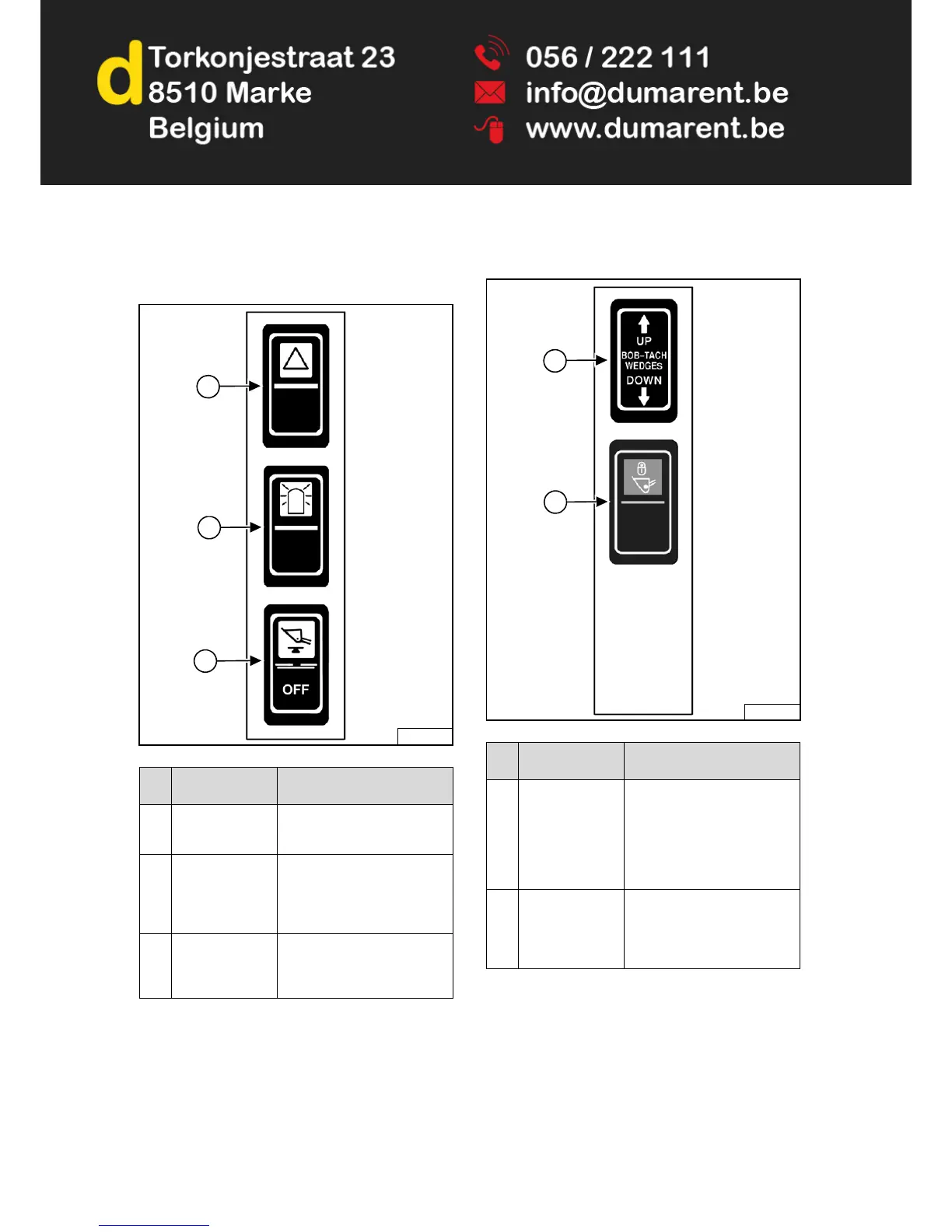
Left Switch Panel
Figure 18
Right Switch Panel
Figure 19
REF.
NO.
DESCRIPTION FUNCTION / OPERATION
1 FOUR-WAY
FLASHER
LIGHTS (Option)
Press the top to turn lights ON;
bottom to turn OFF.
2 ROTATING
BEACON (Option)
or
STROBE LIGHT
(Option)
Press the top to turn light ON;
bottom to turn OFF.
3 HYDRAULIC
BUCKET
POSITIONING
(Option)
Press the top to engage
Hydraulic Bucket Positioning;
bottom to disengage.
P-85319
1
2
3
REF.
NO.
DESCRIPTION FUNCTION / OPERATION
1 POWER
BOB-TACH
(Option)
Press and hold the up arrow to
disengage the Bob-Tach
wedges. Press and hold the
down arrow to engage the
Bob-Tach wedges into the
attachment mounting frame
holes.
2 TRAVEL LOCK Press the top of the switch to
lock the lift and tilt hydraulic
functions for travel. Press the
bottom of the switch to turn
travel lock OFF.
P-85320B
1
2



 To Next Page