NOTE:
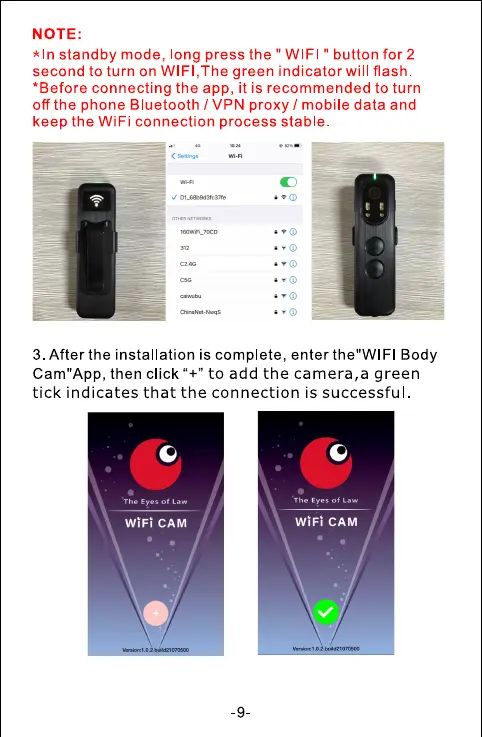
*In standby mode, long press the " WIFI " button for 2
second to turn on WIFI, The green indicator will flash.
*Before connecting the app, it is recommended to turn
off the phone Bluetooth / VPN proxy / mobile data and
keep the WiFi connection process stable.
3. After the installation is complete, enter the"WlFl Body
Cam"App, then click "+" to add the camera,a green
tick indicates that the connection is successful



 To Next Page