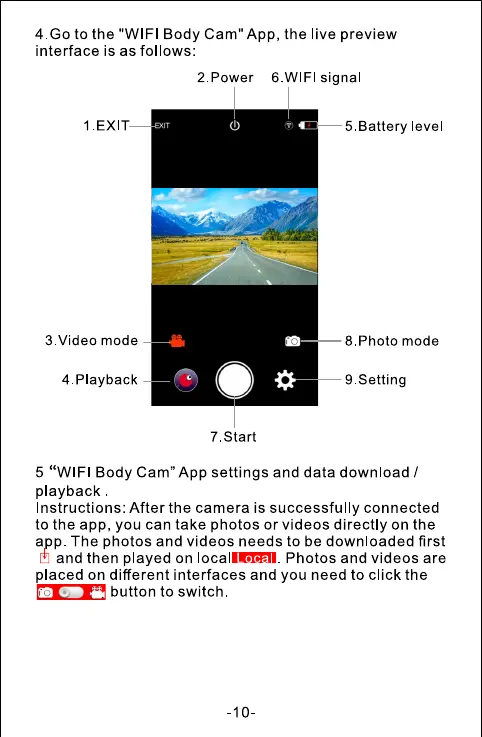
4.Go to the "WIFI Body Cam" App, the live preview
interface is as follows.
2. Power 6 WIFI signa
1 EXIT
3. Video mode
4 playback
—5.Battery evel
— 8. Photo mode
9. Setting
7 .Start
5 "WIFI Body Cam" App settings and data download /
playback
Instructions: After the camera is successfully connected
to the app, you can take photos or videos directly on the
app. The photos and videos needs to be downloaded first
and then played on locallRå"I. Photos and videos are
placed on different interfaces and you need to click the
button to switch
-10-



 To Next Page