More detailed also could refer to our official website
DOC file
Time Stamp Remove
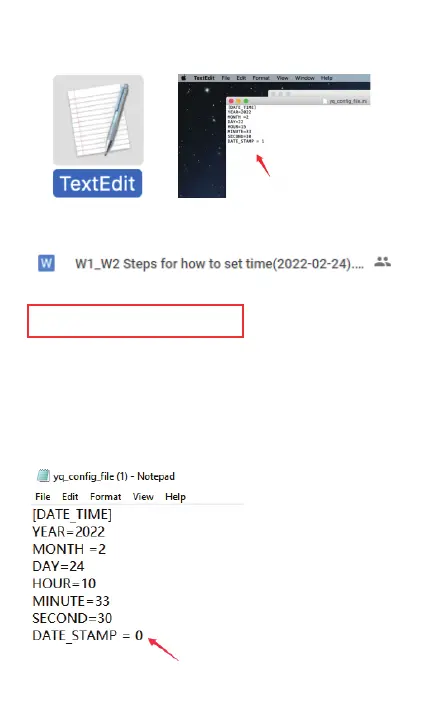
Step1: Like the above step setting advise, download
and open the tool, Change and Set “DATE_STAMP=0”
Step2: Remember to set “DATE_STAMP=0”, “0” is for
turning off the time stamp, “1” is for turning on the
time stamp.
07
TextEdit
More detailed also could refer to our official website
DOC file
WI-W2 Steps for how to set
Time Stamp Remove
Stepl: Like the above step setting advise, download
and open the tool, Change and Set "DATE STAMP=O"
step2: Remember to set , "O" is for
turning off the time stamp, "I " is for turning on the
time stamp.
(l) - Notepad
File Edit Format
[DATE TIME]
YEAR-2022
MONTH -2
DAY-24
HOUR-IO
MINUTE=33
SECOND-30
DATE STAMP -
View Help
07



 To Next Page