08
5. Main Functions
5.1. Video Recording
Push Mode button toon side,then push Power switch to
On, the camera will start recording videos, indicator
flashes with blue.
5.2. Audio Recording
Push Mode button to Q side,then push power switch
to On, the camera will start recording audio, indicator
flashes with Green.
5.3. Snapshot
When recordingvideos,short pressthea button to take
a photo, indicator flashes once with cyan. (snapshot is
only available during video recording)
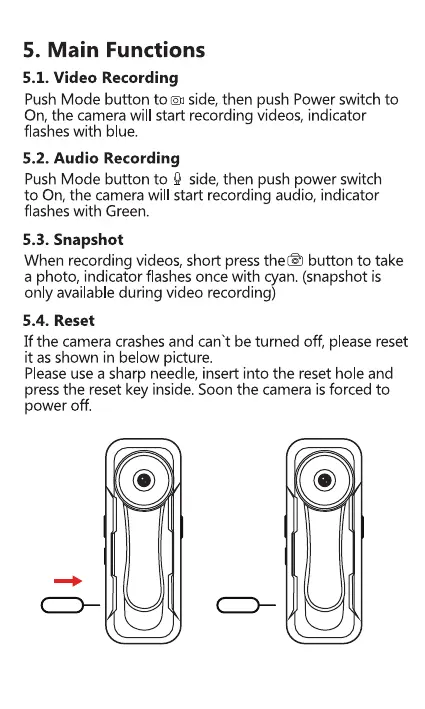
5.4. Reset
If the camera crashes and can't be turned off, please reset
it as shown in below picture.
Pleaseusea sharp needle, insert into the reset hole and
pressthe reset key inside. Soon the camera is forced to
power off.
08



 To Next Page