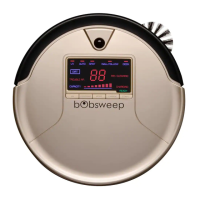
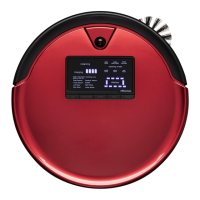
The Bob PetHair Vision is an intelligent floor cleaner designed for autonomous cleaning, featuring both vacuuming and wet mopping capabilities. This device is intended for indoor use and is equipped with various sensors and a camera for navigation and obstacle detection.
Function Description:
The Bob PetHair Vision is a robotic vacuum cleaner that can sweep, vacuum, and wet mop floors. It operates autonomously, navigating around furniture and obstacles to clean effectively. Users can control and schedule cleaning sessions through the bObsweep app, available for iOS and Android devices. The app also provides access to resources, troubleshooting information, and a shop for parts and accessories. The robot is designed to return to its charging station automatically after cleaning.
Important Technical Specifications:
- Model: WVP56020
- Manual Version: 2019.3.2
- Charging Station: Requires 2 feet (0.6 m) of clear space on either side and 10 feet (3 m) in front for optimal docking.
- Battery: Lithium-ion, with a replacement frequency of 12-24 months.
- Operating Temperature: Not to be exposed to temperatures higher than 113° F (45° C).
- Connectivity: Wi-Fi for app control.
- Dustbin: Daily maintenance recommended.
- Filters: Weekly maintenance, with replacement every 6 months.
- Brushes: Weekly maintenance, with replacement every 12 months.
- Sensors & Camera: Weekly maintenance (wiping).
- Front Wheel: Weekly maintenance.
- Wet Mop Attachment: Sold separately, uses distilled water in hard water areas.
Usage Features:
- App Control: The bObsweep app allows users to schedule cleaning, start/stop cleaning, send Bob to charge, and adjust settings.
- Cleaning Modes: Includes a "Low power mode" for quieter, longer cleaning sessions.
- Mute Function: Users can disable audio messages from Bob via the app.
- Edge Sensor Control: Edge sensors can be disabled through the app, which is useful for cleaning dark carpets that might otherwise be avoided. However, caution is advised to keep Bob away from stairs and edges when sensors are disabled.
- NoSweep™ Stripes: Optional accessory to create virtual boundaries that Bob will not cross, allowing users to define areas to avoid.
- Charging Indicator:
- Low Battery: Button rapidly blinks blue.
- Finding Station: Button shines blue.
- Charging: Button slowly blinks blue.
- Fully Charged: Both buttons shine white.
- Troubleshooting: The robot stops and its buttons shine red when encountering an issue, with further details available in the bObsweep app. Common issues include jammed wheels, brushes, or vacuum motor, being off the ground, edge sensor detection, low battery, power errors, and disconnected dustbin or mop attachment.
Maintenance Features:
- Dustbin & Filters:
- Remove the dustbin.
- Open and dump contents.
- Open the filter container and remove congestion.
- Remove and dust filters, then wipe the dustbin.
- Brushes:
- Pull up to remove side brushes.
- Remove debris from brushes and brush sockets.
- Pinch tabs on the main brush gate and lift to remove.
- Clean the main brush and all its components, including the brush gate and brush compartment.
- Sensors & Camera Window:
- Wipe edge and wall sensors.
- Wipe charging plates on Bob and charging nodes on the station.
- Wipe metal connectors on the dustbin and wet mop attachment.
- Wipe the camera window.
- Front Wheel:
- Use a flat head screwdriver to grip and pull the wheel.
- Use a screwdriver to pry out the wheel assembly.
- Clean the wheel and all its components, including the assembly and wheel socket.
- Replace both parts, pushing down to lock them in place.
- Battery Replacement:
- Power off Bob (long press the Play button).
- Use a Phillips head screwdriver to open the battery compartment.
- Unplug the old battery and plug in the new one.
- Slide the new battery into Bob.
- Wet Mop Attachment Maintenance:
- Remove the mop attachment.
- Pull open the tab and empty the reservoir.
- Tap any debris collected inside.
- Wash the mopping cloth and air-dry all parts.
The device comes with a 60-Day Money Back Guarantee, a 2-Year Standard Warranty, a 5-Year Subsidized Repair Plan, and Lifetime Customer Service. Warranty registration is available online.

 Need help?
 General











 To Next Page