CONNECT WITH MULTIPLE DEVICES:
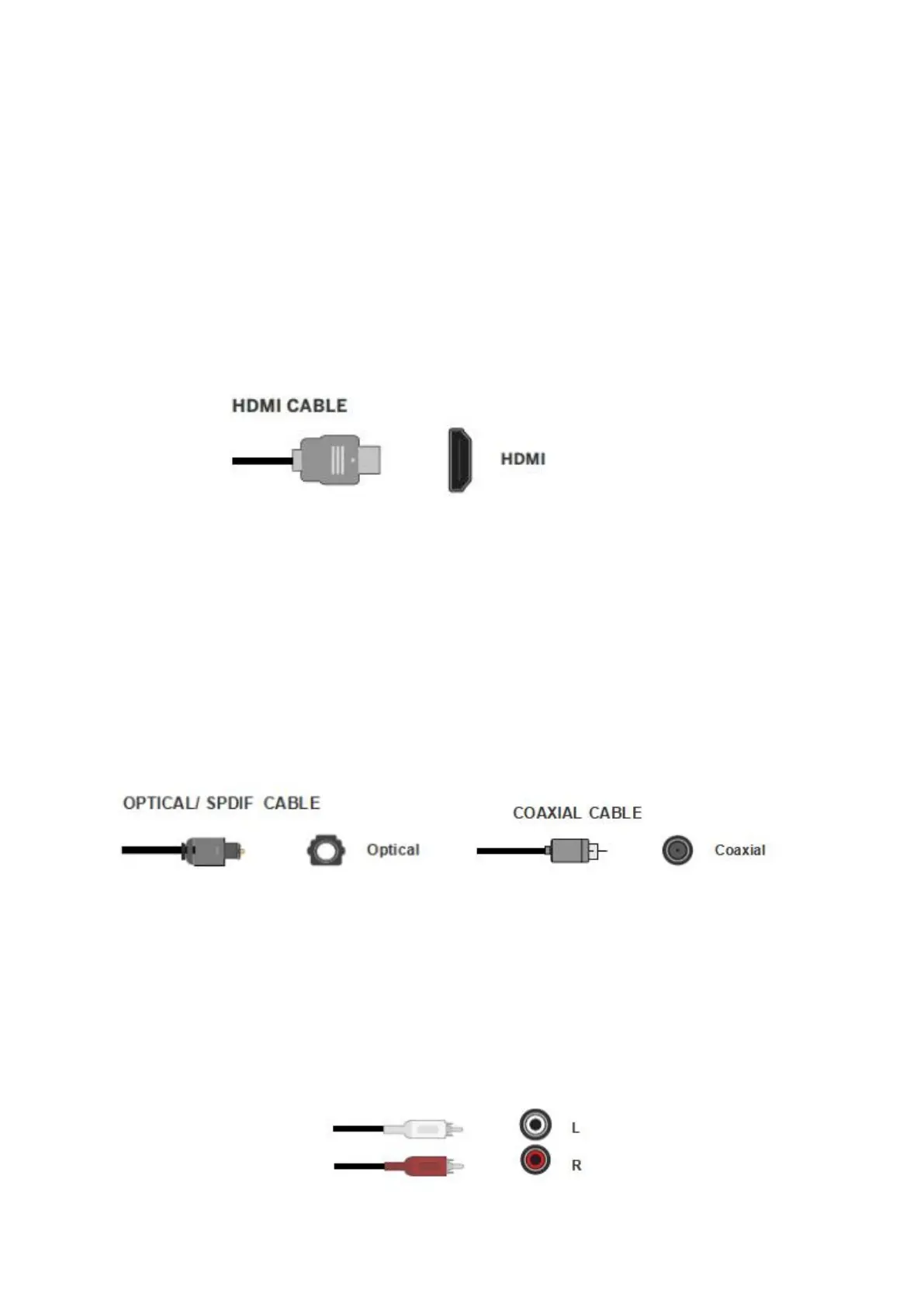
Q: How to Connect to TV with a TV ARC Cable?
1. Verify that the device has a TV ARC output that matches an available port (TV
ARC);
2. Connect the TV ARC cable to the subwoofer and the device.
3. Make sure the units are plugged in and on power "ON" status;
4. Press the INPUT button and switch into "ARC" mode.
Q: How to Connect to TV with Optical/ Coaxial Cable?
Many TVs, Digital set-top boxes, game consoles, DVD players, Blu-ray players, CD
players have optical (fiber optics) or coaxial outputs.
1. Verify that the device has an Optical/Coaxial output that matches an available port
(Optical/Coaxial);
2. Connect the Optical or Coaxial cable to the device and subwoofer.
3. Make sure the units are plugged in and on power "ON" status;
4. Press the INPUT button and switch into "OPT" or "COA" mode.
Q: How to Connect a Device with a RCA to RCA Cable?
1. Verify that the device has RCA L/R output that matches an available port;
2. Connect the RCA L/R cable to your device and subwoofer.
3. Make sure the units are plugged in and on power "ON" status;
4. Press the INPUT button and switch into "AUX" mode


 To Next Page