EasyManua.ls Logo

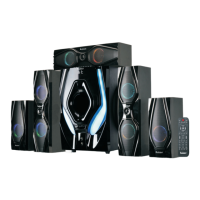
Bobtot B901D - User Manual

Bobtot B901D
16 pages
Print Icon
To Next Page IconTo Next Page
Loading...
Scan the QR code to access how-to videos, the
user’s manual, and other important information
you may need to get the most of your item
Quick Setup Guide
B901D
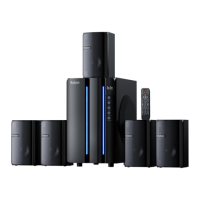
5.1 CHANNEL HOME THEATER SYSTEM
WITH LED LIGHT EFFECTS

Other manuals for Bobtot B901D

Question and Answer IconNeed help?

Do you have a question about the Bobtot B901D and is the answer not in the manual?

Summary

Whats in the box

Important Safety Instructions

Front Panel Overview

Back Panel Overview

Remote Control Functions

Speaker Placement and Setup

Mounting Instructions

System Connection Guide

Wireless Bluetooth (BT) Connection

Connect your device wirelessly via Bluetooth.

TV ARC Cable Connection

Connect your TV using the ARC audio cable.

Optical Cable Connection

Connect your audio device using an optical cable.

Coaxial Cable Connection

Connect your device using a coaxial cable.

RCA Stereo Audio Cable Connection

Connect your device using standard RCA stereo audio cables.

3.5 mm to RCA Audio Cable Connection

Connect devices with a 3.5mm jack to RCA inputs.

3 RCA Audio Stereo Cable Connection

Connect your device using three RCA audio stereo cables.

FM Radio and Karaoke Features

Product Specifications

FCC Compliance Information

FCC Warning and Disclaimer

Details regulatory compliance and potential interference issues.

Customer Support and Contact

Customer Care and Solutions

Information on customer service, feedback, and issue resolution.

Bobtot B901D Specifications

General IconGeneral
BrandBobtot
ModelB901D
CategoryHome Theater System
LanguageEnglish

Related product manuals