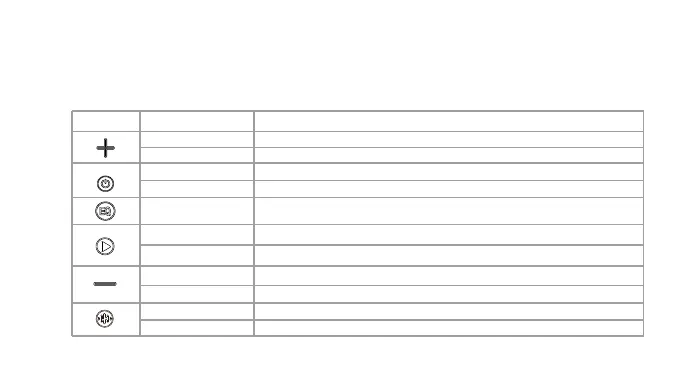
Button Function description
Button Key Operation Function Description
Short press Increase the volume
Long press Next song
Short press Short press to switch between BT/AUX/USB/TF card mode
Long press Press and hold for 3 seconds to turn on/off
Short press Short press to switch Indoor/Outdoor mode
Short press Decrease the volume
Long press Previous song
Short press Karaoke mode/Vocal mode/KTV mode
Double click Light on/off
Play/Pause
Short press
Long press Disconnect BT



 To Next Page