6
1. Main keyboard
1.1 Starting up the keyboard
1/ Press the START key (6) to start the main keyboard.
The display shows that the console is started up.
Wait a few seconds for the messages to scroll up.
The keyboard seeks the scoreboards in the hall.
Indication of the battery status.
Indication of the level of radio reception and the number of
scoreboards communicating with the console.
If everything is OK, display of the last played sport.
1.2 Switching o the keyboard
1/ At the end of the match, press TIME key (1) during 3 sec to stop the keyboard, until the display on
the keyboard completely disappears (beeps emission).
The scoreboard shows the time and the temperature.
1.3 Sport selection
1/ Select the sport required by pressing the RIGHT/LEFT (13)
keys.
2/ Validate by pressing the OK (11) key.
3/ Select the type of rules required for the sport with the RIGHT/
LEFT (13) or SEL (8) keys.
After the choice of the sport, 2 or 3 congurations of game «type of rules»
are proposed for each sport. Each conguration included parameters of game which can be modied and recorded with
the congurationsetting of each sport. The factory conguration is always worth rescuing.
4/ Validate by pressing the OK (11) key.
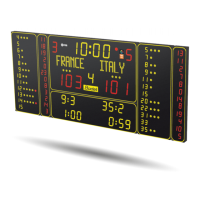
1.4 Team names (only for scoreboard with alphanumeric display)
The keyboard will propose the HOME and VISITORS unmodiable names and a list of 30 names to be created and
numbered from 1 to 30.
Create / Modify team name
1/ Select in the list an empty space (PPPPPP) or a team name to
be modied with UP+/DOWN - (13) keys.
2/ Press the RESET (3) key to erase the existing team name. The
cursor appears on the rst position.
3/ Choose each letter with UP+/DOWN- (13) keys. Move thanks
to RIGHT/LEFT (13) keys.
4/ Validate by pressing the OK (11) key.
Nota 1 : press the CORRECTION (9) key to exit this menu without saving.
Nota 2 : the team name list is limited to 30 names. Beyond, existing team names must be modied or erased.
Sport selection:
Basketball
Basketball
FIBA:4x10 24sec
Wired main keyboard Radio HF main keyboard
Connexion box
Power supply
To main scoreboard To main scoreboard
Enter Home Team +
1: TREM__________ -
HOME TEAM +
1: TREMENTINES -
HOME TEAM +
30:PPPPPPPPPPPPPPPP-


 To Next Page
 Loading...