EasyManua.ls Logo

Bodet KELIO VISIO - User Manual

Bodet KELIO VISIO
35 pages
Print Icon
To Next Page IconTo Next Page
Loading...
1
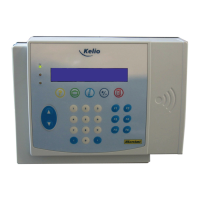
KELIO VISIO Terminal
Instructions
When you receive the product, make sure that it has not been damaged during transport and notify any
reservations to the carrier.
BODET Software
B.P. 40211
Boulevard du Cormier
F - 49302 CHOLET Cedex
www.bodet-software.com
marketing@bodet-
software.com
Ref. 640091 C

Table of Contents

Question and Answer IconNeed help?

Do you have a question about the Bodet KELIO VISIO and is the answer not in the manual?

Summary

Terminal Overview and Components

Terminal Connectors Overview

Detailed description of the terminal's various connection ports and their functions.

Terminal Pilot Lamp Indicators

Explains the meaning and function of the various status indicator lights on the terminal.

Pilot Lamp Operations and Meanings

Terminal Installation Guide

Terminal Mechanical Installation Guide

Instructions for physically mounting and positioning the terminal.

Terminal Electrical Connection Procedures

Steps for connecting power and other electrical components to the terminal.

Connecting Terminal Communication Links

Guide for establishing data communication connections for the terminal.

Connecting Terminal Readers

Instructions for connecting badge or biometric readers to the terminal.

Terminal Adjustment and Testing Procedures

Direct Terminal Menu Operations

Terminal Messages and Status

Terminal Initialization Startup Messages

Displays of messages shown when the terminal powers up or starts.

Terminal Error Message Explanations

Explains common error messages and their causes or solutions.

Modifying Terminal IP Interface Settings

Terminal IP Configuration via Interface

Steps to change IP settings directly on the terminal interface.

Terminal IP Configuration via Installation Module

How to configure IP settings using the software's installation module.

Terminal IP Configuration via Telnet

Method for modifying IP settings using Telnet.

Resetting Terminal IP Address

Procedure to reset the terminal's IP address to default settings.

Testing Terminal Network Connection

Methods to test and verify the network connection status.

Terminal Safety and Equipment Protection Guidelines

Technical Characteristics of the Terminal

Terminal Physical Space Requirements

Dimensions and physical space needed for terminal installation.

Kelio Terminal Variants

Describes the different types of Kelio terminals available.

Summary

Terminal Overview and Components

Terminal Connectors Overview

Detailed description of the terminal's various connection ports and their functions.

Terminal Pilot Lamp Indicators

Explains the meaning and function of the various status indicator lights on the terminal.

Pilot Lamp Operations and Meanings

Terminal Installation Guide

Terminal Mechanical Installation Guide

Instructions for physically mounting and positioning the terminal.

Terminal Electrical Connection Procedures

Steps for connecting power and other electrical components to the terminal.

Connecting Terminal Communication Links

Guide for establishing data communication connections for the terminal.

Connecting Terminal Readers

Instructions for connecting badge or biometric readers to the terminal.

Terminal Adjustment and Testing Procedures

Direct Terminal Menu Operations

Terminal Messages and Status

Terminal Initialization Startup Messages

Displays of messages shown when the terminal powers up or starts.

Terminal Error Message Explanations

Explains common error messages and their causes or solutions.

Modifying Terminal IP Interface Settings

Terminal IP Configuration via Interface

Steps to change IP settings directly on the terminal interface.

Terminal IP Configuration via Installation Module

How to configure IP settings using the software's installation module.

Terminal IP Configuration via Telnet

Method for modifying IP settings using Telnet.

Resetting Terminal IP Address

Procedure to reset the terminal's IP address to default settings.

Testing Terminal Network Connection

Methods to test and verify the network connection status.

Terminal Safety and Equipment Protection Guidelines

Technical Characteristics of the Terminal

Terminal Physical Space Requirements

Dimensions and physical space needed for terminal installation.

Kelio Terminal Variants

Describes the different types of Kelio terminals available.

Bodet KELIO VISIO Specifications

General IconGeneral
Display TypeTFT LCD
Operating SystemAndroid
ConnectivityEthernet
Power SupplyPoE or 12V DC
Operating Temperature0°C to 50°C
CertificationsCE, RoHS

Related product manuals