
 Need help?
Do you have a question about the BodyGuardian Heart and is the answer not in the manual?
Contact information for patient support and inquiries.
Details for returning the monitoring device.
Contact information for billing and payment inquiries.
Website for general information about the service.
Explains how the patient's insurance and billing are handled.
Introduces the BodyGuardian Heart Remote Monitoring System.
Instructions on what to do when the monitoring period ends.
Guidelines for using the monitor during air travel.
Where to find help and additional resources for the device.
Lists and describes the items provided with the BodyGuardian Heart system.
Instructions on how to charge the BodyGuardian Connect smartphone.
Steps for charging the BodyGuardian Heart monitor.
Prepares the skin for electrode application for optimal adhesion.
Guides on connecting the charged monitor to the Base unit.
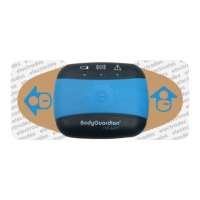
Instructions for applying the BodyGuardian Heart device to the chest.
Illustrates optimal placement locations on the chest.
Shows alternative placement options for the device on the chest.
Steps to power on the BodyGuardian Connect smartphone.
Instructions for powering on the BodyGuardian Heart monitor.
Confirmation of successful monitor setup.
Importance of maintaining proximity between the smartphone and monitor.
Recommendation for nightly charging of the smartphone.
Guidelines on when and how to switch between monitors.
Steps to detach the monitor from the Base unit.
Further instructions on switching between monitors.
Steps to reattach a charged monitor to the Base unit.
How to manually record experienced symptoms using the device.
Situations requiring removal of the device from the chest.
Specific instructions for removal during water activities.
Instructions for removal during air travel or MRI scans.
Guidance on changing the disposable electrodes for the device.
Addresses the 'Poor Contact' error message and its resolutions.
Detailed steps for replacing the device's electrodes.
Solves issues with disabled pause button or 'Searching' status on the app.
Steps to check and confirm monitoring status on the smartphone.
Procedure to view status for both monitors.
Information on how the phone connects to the monitor.
Addresses extended 'Downloading data' display during monitor switching.
How to dismiss the smartphone passcode prompt.
Explains the automatic dimming/shutoff of the smartphone screen.
Instructions for packing and returning the BodyGuardian Heart system.
Section for rating overall service satisfaction.
Section for rating the provided manual and videos.
Section for rating the user experience with the monitor and its components.
Open text field for users to provide additional feedback.
 General
| Manufacturer | Preventice Solutions |
|---|---|
| Battery Life | 7 days |
| Size | Compact |
| Device Type | Wearable ECG Monitor |
| Device Category | Medical Device |
| Connectivity | Bluetooth |
| Data Transmission | Continuous, real-time |
| Water Resistance | IP67 |
| Monitoring Capabilities | ECG, Heart Rate, Activity |

 To Next Page
