Need help?
Do you have a question about the BODYMAX CF820 Dual Pulley and is the answer not in the manual?
The equipment is suitable for home and semi-professional use, but not commercial.
BodyMax is a registered brand; manual subject to change without notice.
Explains how the manual aids in setup and safe equipment operation.
Defines hazard symbols like ATTENTION, CAUTION, WARNING, and DANGER.
Details weight, dimensions, maximum load, and weight stack specifications.
Provides specifications for the optional weight stack upgrade kit.
Recommends physician consultation and monitoring for adverse symptoms during exercise.
Covers age restrictions, supervision, safety key usage, and safe practices.
Warns about moving parts, cables, and potential tripping hazards.
Specifies adequate space, ventilation, and avoiding escape routes for setup.
Requires a stable surface and appropriate room temperature/humidity, suggests floor mats.
Emphasizes safety, reading instructions, and supervision, especially for children.
Recommends at least two adults and sufficient clearance for assembly.
Suggests assembling on a protective surface and utilizing pre-assembled components.
Instructs to check all included parts and tools, reporting any discrepancies.
Lists components found in Box 1, including main frames and shields.
Lists components found in Box 2, such as bars, pulleys, and cables.
Details the weight stack plates included in Box 3.
Describes the optional kit that increases weight capacity and lists its components.
Provides critical guidance on using upgrade parts instead of standard ones.
Details attaching upright frames, steel plates, and cross frames with hardware.
Advises on initial loose assembly and using detailed graphics for clarity.
Guides through installing weight plates, bumpers, and selectors onto guide rods.
Differentiates which top plates and selectors to use based on the purchased kit.
Details the process of routing cables through pulleys and connecting them to the user interface.
Mentions pre-installed pulleys and the need to route cables during reinstallation.
Explains how to determine if cable tension is appropriate by observing the top weight plate.
Provides step-by-step instructions for adjusting cable tension at the slider.
Provides step-by-step instructions for adjusting cable tension at the pulley bracket.
Details the attachment of protective shields and the squat bar to the machine.
Highlights the interchangeability of accessories like handles and straps.
Specifies conditions for safe storage, including temperature and protection from moisture.
Advises on preventing misuse during storage and disassembly for transport.
Focuses on avoiding modifications and timely replacement of worn components with original parts.
Lists common equipment issues, their causes, and recommended corrective actions.
Outlines the recommended intervals for cleaning and inspecting various parts of the equipment.
Instructs users on proper disposal methods, emphasizing recycling over household waste.
Recommends additional items like floor mats, straps, and ropes to improve workouts.
Guides users on how to locate and buy compatible accessories via the webshop or customer service.
Explains the critical information needed, such as serial number and model name, for accurate parts ordering.
Provides a detailed list of all standard equipment parts with their respective numbers and quantities.
Lists the specific parts included in the weight stack upgrade kit, along with their quantities.
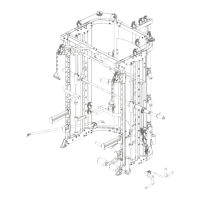
Presents a detailed exploded view of the equipment, showing part numbers for assembly reference.
Outlines what the warranty covers, who the warrantee is, and the procedure for making a claim.
Specifies warranty durations and responsibilities for repair costs.
Clarifies usage categories (Home, Semi-professional, Professional) and their impact on warranty.
Details how service is provided during the warranty period, including repair or replacement.
Lists factors like misuse, environmental damage, and unauthorized repairs that void the warranty.
Emphasizes the need for proof of purchase and the serial number for warranty claims.
Describes how to obtain service and cost estimates after the warranty period has ended.
Provides contact details, email, and opening hours for various regions and countries.
Lists company websites, social media links, and related brand logos.
 General
| Brand | BODYMAX |
|---|---|
| Model | CF820 Dual Pulley |
| Category | Fitness Equipment |
| Language | English |

 To Next Page