x
x
x
x
13
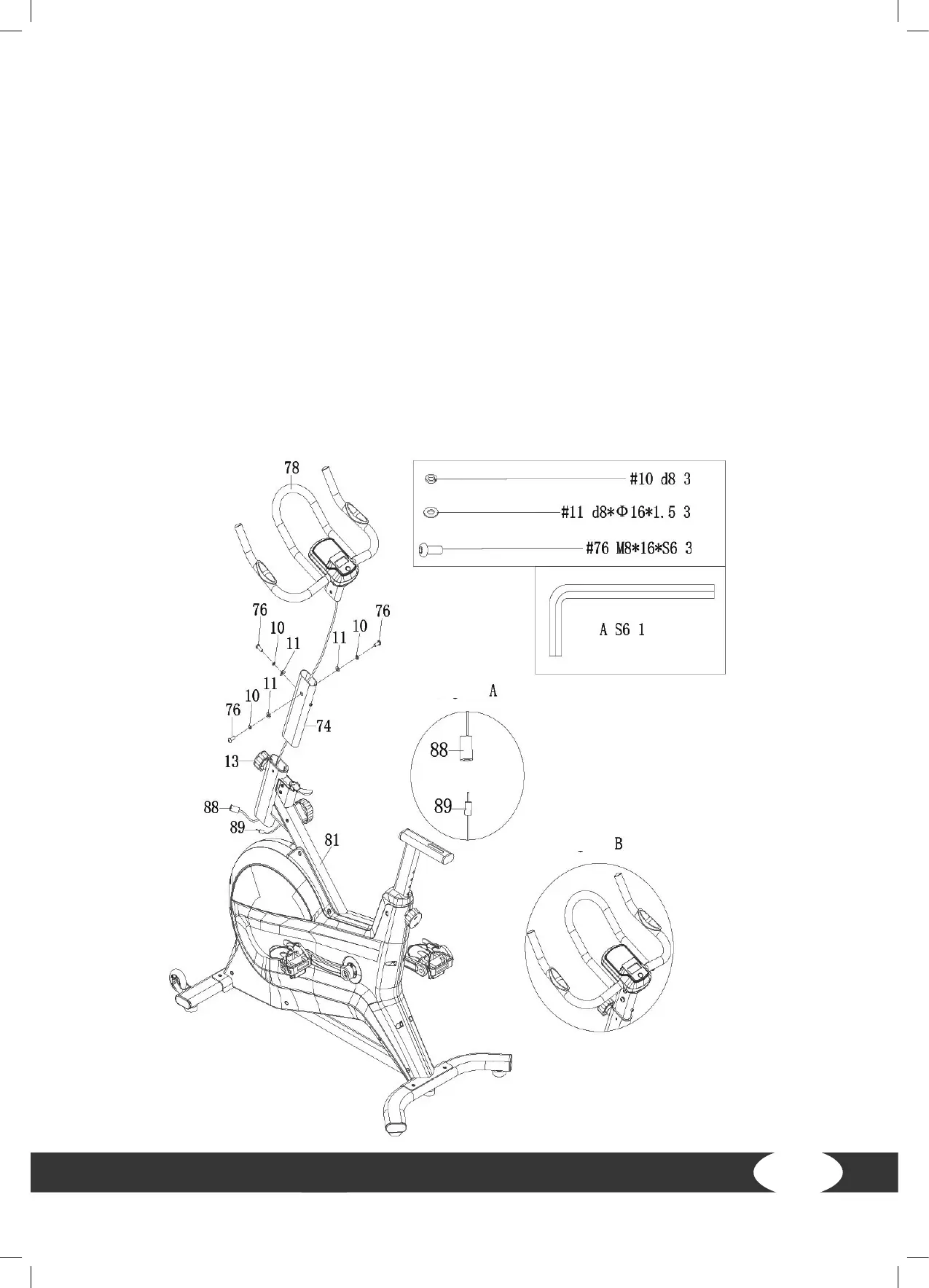
Step 2: Assembly of the handlebar post
1. Pass the cable (88) through the handlebar post (74) and the main frame (81).
࣑ ATTENTION
Make sure not to pinch the cable during the next steps.
2. Attach the handlebar (78) to the handlebar post (74) using three screws (76), three spring
washers (10) and three washers (11) and tighten with the allen wrench (A) (Fig. B).
3. Loosen the knob (13) and pull it out.
4. Slide the handlebar post (74) into the main frame (81) and position it at the desired height.
5. Fasten the handlebar post (74) with the previously released knob (13) by tightening it again.
6. Connect the trunk line (88) to the sensor wire (89) (Fig. A).



 To Next Page