- 16 -
III. Body fat mode
:
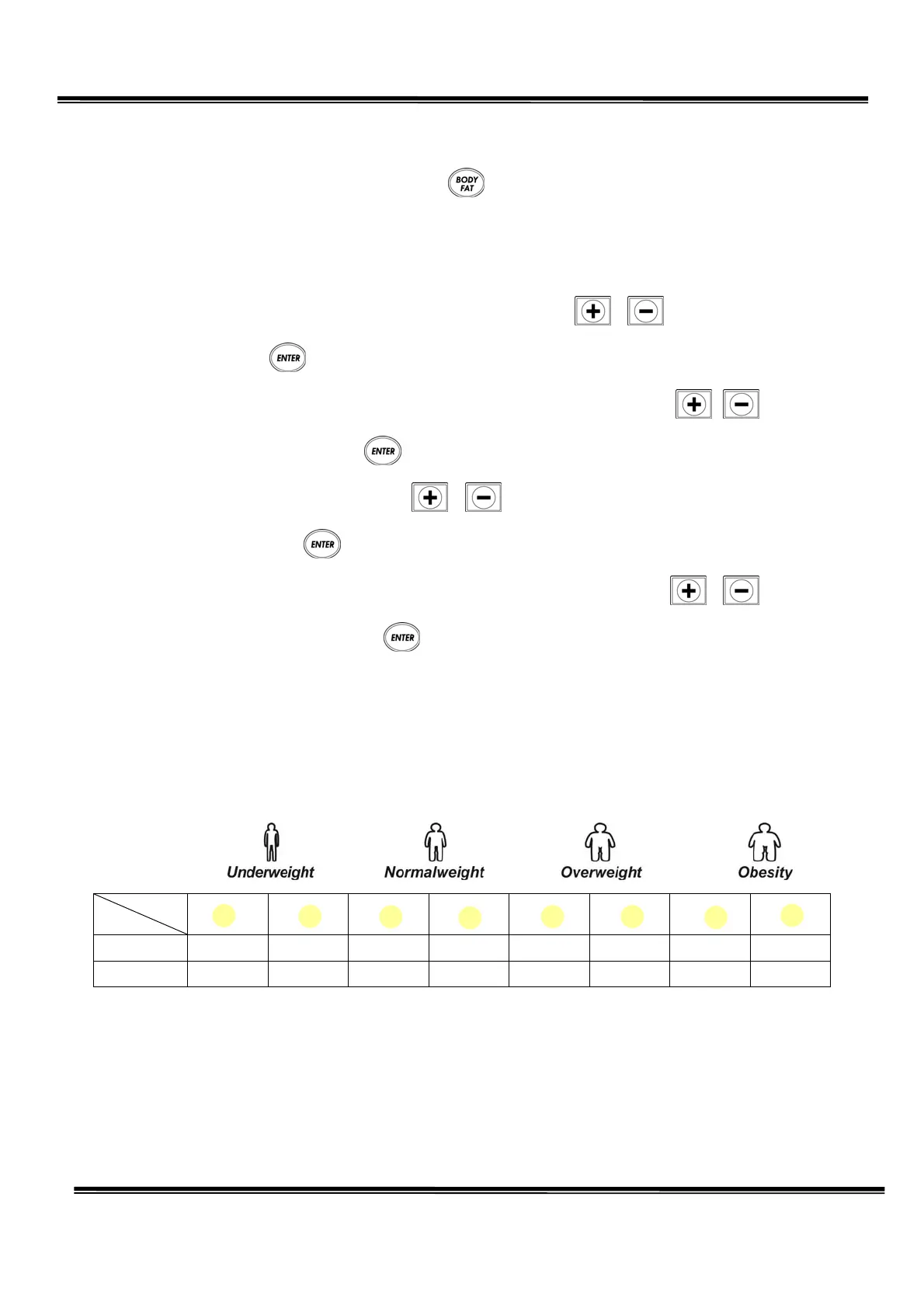
1. Under START/READY condition, press , you can see the Body Fat LED light is blinking,
present you are in to Body Fat function.
When you choose this function, program will require you enter following values.
◎
Age
:
Pre-set value is 30
,
range
:
13~80
,
Step is 1. Press
、
to adjust, after choose
correct value, press into next value setting.
◎
Height
:
Pre-set value is 170 cm
,
range
:
130~200 cm
,
Step is 1 cm. Press
、
to adjust,
after choose correct value, press into next value setting.
◎
Sex
:
Pre-set value is 1(male). Press
、
to change 1 (Male),0(Female). After choose
the correct option, press into the next value setting
◎
Weight
:
Pre-set value is 70 kg
,
range
:
30~130 kg
,
Step is 1 kg. Press
、
to adjust.
After choose correct value, press and put both hands straight and hold the grip pulse
sensor about 15seconds, after 15 seconds, Body Fat window will display your Body Fat value, in
the same time, on the computer panel left side the LED light will display figure evaluation.
2. As the male and female has different fat, so the figure evaluate light also different, below
provide a list for reference:
Light
Sex
1.(male) 0.0~4.9 5.0~9.9 10.0~14.9 15.0~19.9 20.0~24.9 25.0~29.9 30.0~34.9 35.0above
0.(female) 0.0~14.9 15.0~19.9 20.0~24.9 25.0~29.9 30.0~34.9 35.0~39.9 40.0~44.9 45.above


 To Next Page