CONNECT THE CAMERA TO THE MONITO
NOTE:Useon ythe power adapters •ncluded inthe package.f the display
screen and the red power button are not on, you need to connect the monitor to
the power cord for charging.
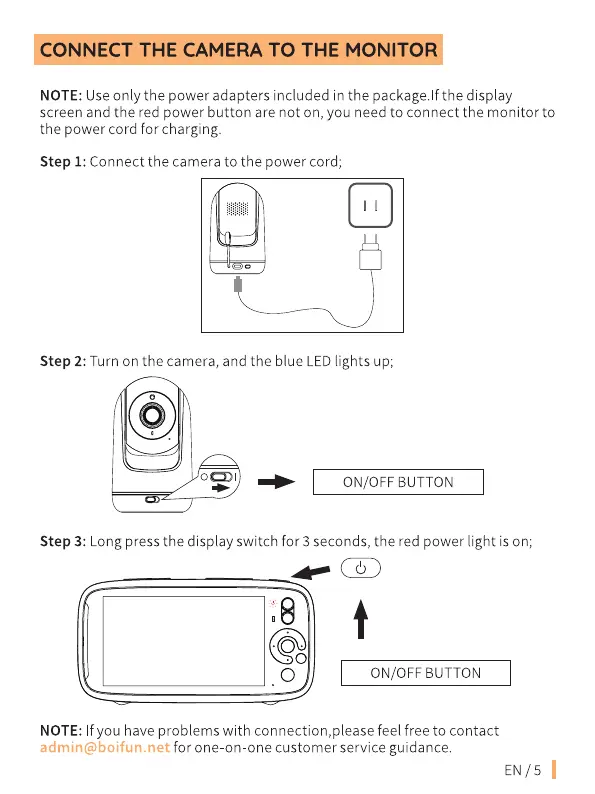
Step 1: Connect the camera to the power cord;
Step 2: Turn on the camera, and the blue LED •ghts up;
ON/OFF BUTTON
Step 3: Long press the display switch for 3 seconds, the red power light is on;
.o
O
ON/OFF BUTTON
NOTE: f you have problems with connection,please feel free to contact
admin@boifun.net for one-on-one customer service guidance.
EN/5


 To Next Page