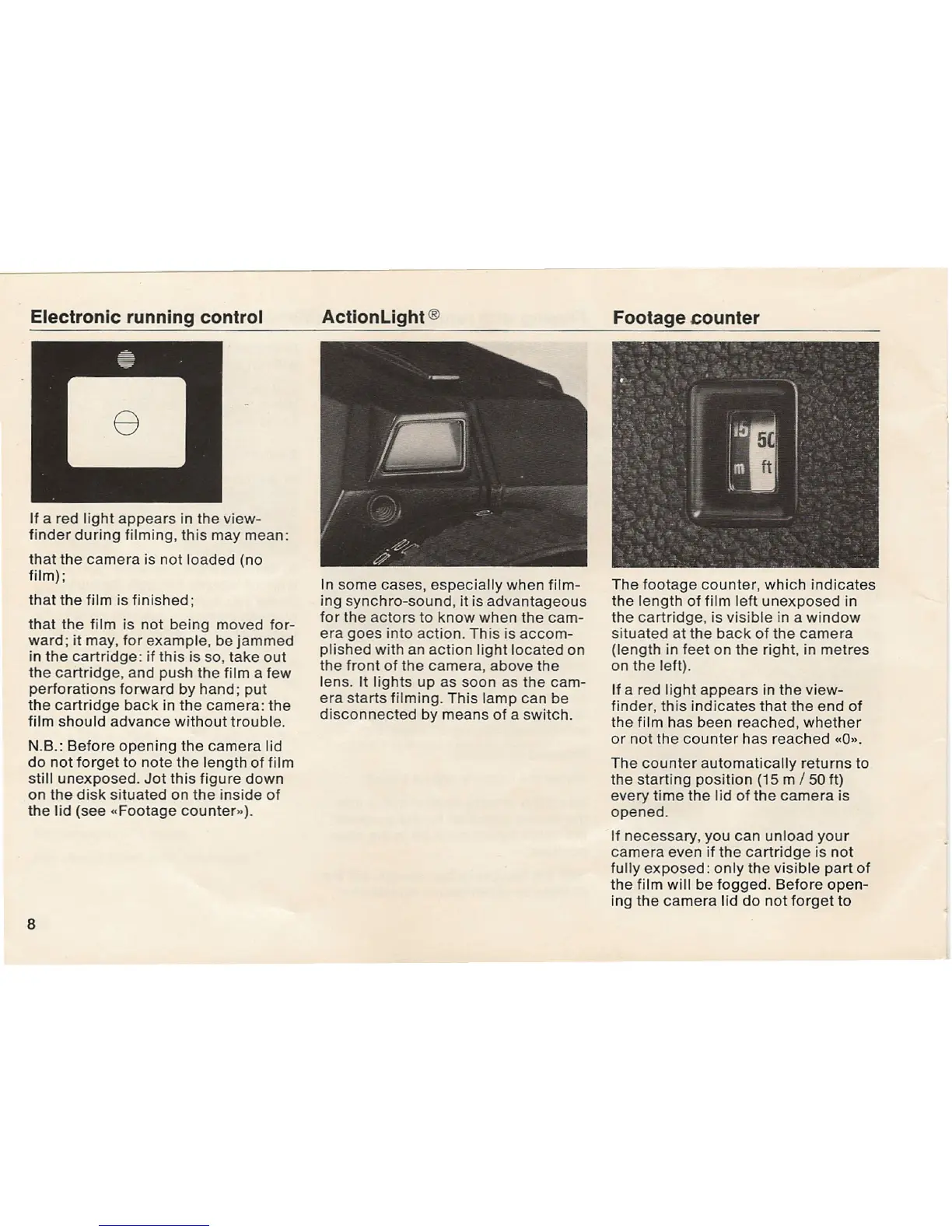
Electronic running control
If a red light appears in the view-
finder during filming, this may mean:
that the camera is not loaded (no
film);
that the film is finished;
that the film is not being moved for-
ward; it may, for example, be jammed
in the cartridge: if this is so, take out
the cartridge, and push the film a few
perforations forward by hand; put
the cartridge back in the camera: the
film should advance without trouble.
N.B.: Before opening the camera lid
do not forget to note the length of film
still unexposed. Jot this figure down
on the disk situated on the inside of
the lid (see «Footage counter»).
8
ActionLight ®
In some cases, especially when film-
ing synchro-sound, it is advantageous
for the actors to know when the cam-
era goes into action. This is accom-
plished with an action light located on
the front of the camera, above the
lens. It lights up as soon as the cam-
era starts filming. This lamp can be
disconnected by means of a switch.
Footage counter
The footage counter, which indicates
the length of film left unexposed in
the cartridge, is visible in a window
situated at the back of the camera
(length in feet on the right, in metres
on the left).
If a red light appears in the view-
finder, this indicates that the end of
the film has been reached, whether
or not the counter has reached «0".
The counter automatically returns to
the starting position (15 m / 50 ft)
every time the lid of the camera is
opened.
If necessary, you can unload your
camera even if the cartridge is not
fully exposed: only the visible part of
the film will be fogged. Before open-
ing the camera lid do not forget to


 To Next Page
 Loading...