note the length of film still unexpos-
ed. Jot this figure down on the disk
situated on the inside of the lid.
When you wish to continue filming,
proceed as follows:
press on the lid locking button to
release the footage counter adjusting
knob;
by means of this knob, set the foot-
age counter to the figure marked on
the disk;
release the lid locking button: this
locks the footage counter adjusting
knob.
Framing the subject
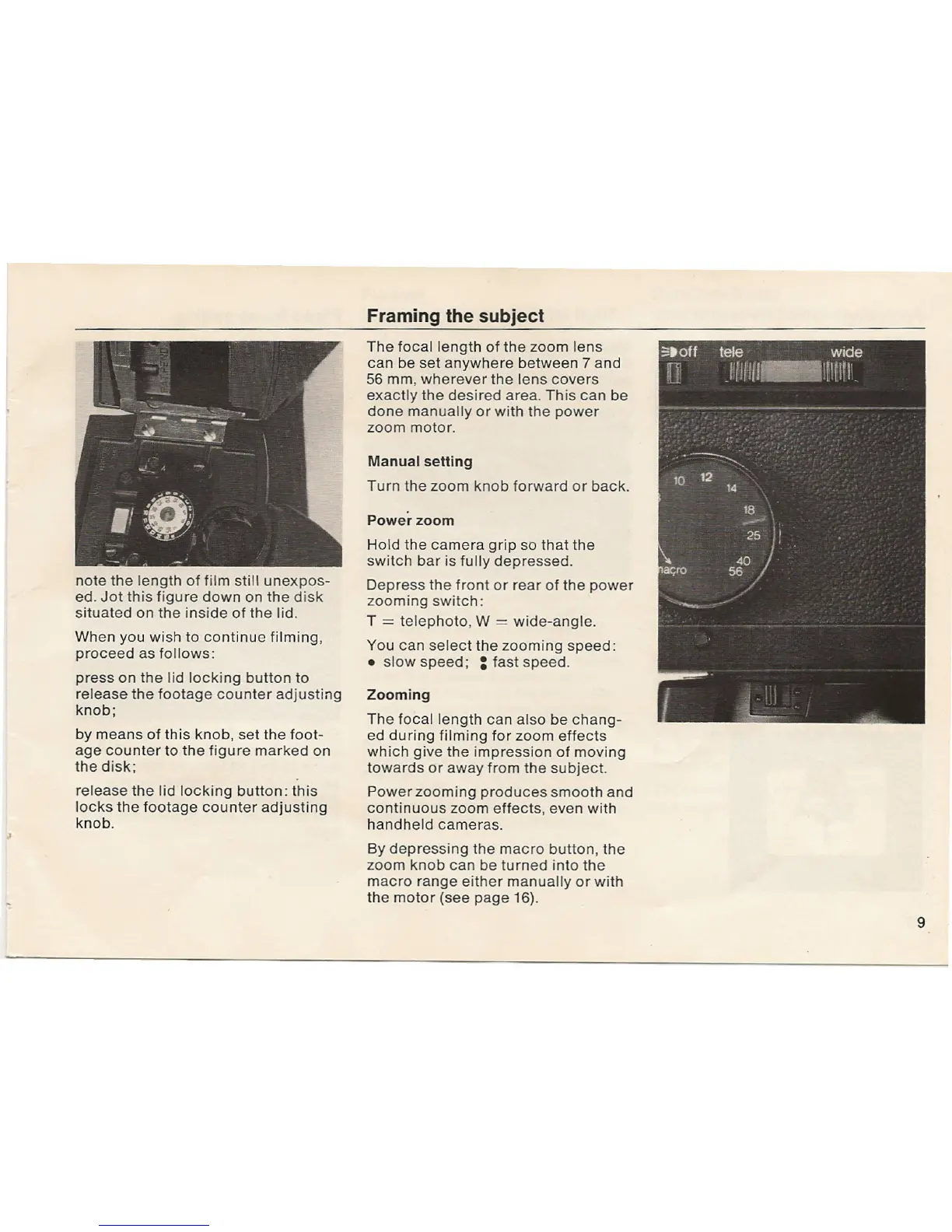
The focal length of the zoom lens
can be set anywhere between 7 and
56
mm, wherever the lens covers
exactly the desired area. This can be
done manually or with the power
zoom motor.
Manual setting
Turn the zoom knob forward or back.
Power zoom
Hold the camera grip so that the
switch bar is fully depressed.
Depress the front or rear of the power
zooming switch:
T
==
telephoto, W
==
wide-angle.
You can select the zooming speed:
• slow speed; : fast speed.
Zooming
The focal length can also be chang-
ed during filming for zoom effects
which give the impression of moving
towards or away from the subject.
Power zooming produces smooth and
continuous zoom effects, even with
handheld cameras.
By depressing the macro button, the
zoom knob can be turned into the
macro range either manually or with
the motor (see page 16).
9


 To Next Page
 Loading...