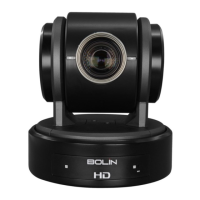
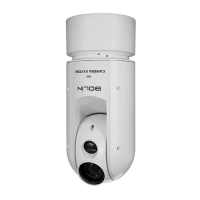
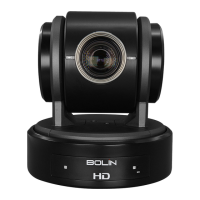
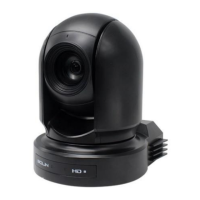
This document is the user manual for the Bolin Technology 7 Series SDI/HDMI HD PTZ Camera, specifically models VCC-7HD20S-3SMC and VCC-7HD30S-3SMC. It provides comprehensive instructions for operation, configuration, and maintenance of the device.
Function Description
The Bolin 7 Series SDI/HDMI HD PTZ Camera is a professional pan-tilt-zoom camera designed for high-definition video capture. It offers simultaneous video output via HDMI, 3G-SDI, and CVBS, making it versatile for various broadcast and video production environments. The camera supports multiple control methods, including an infrared remote controller, RS-232 (VISCA), and RS-422/485 (VISCA/PELCO P/D) protocols, allowing for flexible integration into existing control systems. Its PTZ capabilities include continuous pan and tilt, along with optical zoom, enabling precise framing and tracking of subjects. The camera also features preset memory for storing and recalling camera positions and image parameters, enhancing operational efficiency. Firmware upgrades are supported via USB2.0 or IP, ensuring the camera can be kept up-to-date with the latest features and performance improvements.
Important Technical Specifications
- Models: VCC-7HD20S-3SMC, VCC-7HD30S-3SMC
- Resolution: Up to 1080P60, 1080i59.94 (SDI/HDMI); Up to 1080P60, 1080P30 (IP)
- Zoom: Optical 20X (VCC-7HD20S-3SMC), Optical 30X (VCC-7HD30S-3SMC)
- Image Stabilizer: Available on 30X models (VCC-7HD30S-3SMC)
- Wide Dynamic Range (WDR): True WDR 130dB
- Pan Movement: ±350-degree continuous pan
- Tilt Movement: ±120-degree continuous tilt
- PTZ Speed: Up to 150 degrees/sec
- Presets: 6 presets via remote controller, 128 presets via protocol programming
- Video Outputs: HDMI (1.4), 3G-SDI, CVBS (simultaneous)
- Control Interfaces: RS-232 (RJ45), RS-422/485 (RJ45), IR Remote Controller
- Control Protocols: VISCA, Pelco D
- Firmware Upgrade: USB2.0 or IP
- Power: DC 12V
- Mounting: Standard mounting, ceiling mounting with E-Flip function
- Dimensions: 139.8 mm (W) x 211 mm (H) x 178.75 mm (D) (approximate, based on diagrams)
- Weight: Not specified in the provided text.
Usage Features
Control Methods:
- Infrared Remote Controller: Provides basic control for pan/tilt/zoom, focus, back light, video format switching, white balance, de-flicker, and menu navigation. It supports operating multiple cameras by setting a camera ID.
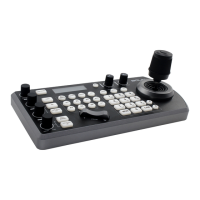
- RS-232 (VISCA): Allows connection to a computer or joystick keyboard for camera operation. Supports daisy chain connection for up to 7 cameras.
- RS-422 (VISCA) / RS485 (PELCO P/D): Connects to optional controllers like joystick keyboards or PC stations for pan/tilt/zoom and preset operations. Supports daisy chain connection for up to 7 cameras (VISCA) or up to 255 cameras (PELCO P/D).
- DIP Switch Settings: Configurable switches on the bottom of the camera allow setting camera ID (for RS-485 and IR remote), video output/color space, RS-232/RS-422 selection, and baud rate. A rotary DIP switch on the back panel is used for video format selection.
Camera Operation:
- Pan/Tilt/Zoom: Controlled via arrow buttons on the remote or joystick. Supports short increments, long increments, and diagonal movement.
- Home Position: A dedicated HOME button on the remote resets the camera to its home position and can also reset resolution.
- Focus: Auto/Manual focus modes are available. Manual focus can be adjusted using FAR/NEAR buttons.
- Back Light Compensation: Improves visibility of subjects against bright backgrounds.
- Video Format Switching: Can be changed via a dedicated button on the remote, which restarts the camera and may cause a temporary black screen. Also configurable via the bottom DIP switch or OSD menu.
- White Balance: Multiple modes including AUTO, INDOOR, OUTDOOR, One Push White Balance (OPW), Auto Tracking White Balance (ATW), USER, OUTDOOR AUTO, SVL AUTO, SVL, and SVL OUTDOOR A.
- Exposure: Modes include FULL AUTO, MANUAL, IRIS PRI, and SHUTTER PRI, with adjustable settings for gain, speed, iris, and exposure compensation.
- Image Settings: Adjustable sharpness, picture effects (B&W), noise reduction, flip (for ceiling mount), mirror image, de-flicker, WDR, color, hue, and contrast.
- PTZ Menu: Digital zoom (12X, up to 200X/300X total with optical zoom), zoom ratio OSD, AF sensitivity, MF speed, near limit, adaptive P/T speed, and P/T speed control.
- System Menu: Configures PELCO ID, IR-RECEIVE (on/off), display info (on/off), preset memory (on/off), factory reset, reload preset 1, auto focus speed, video format, and displays software version (SV).
Preset Feature:
- Allows storing and recalling up to 6 sets of camera shooting conditions (pan/tilt/zoom position, focus, AE mode, image parameters) via the remote controller. Up to 128 presets can be programmed via protocol.
- Settings stored in POSITION 1 are recalled when the camera powers on.
Maintenance Features
- Firmware Upgrade: The USB2.0 port on the back panel is dedicated for firmware upgrades. Users can load a
.bin file (named "HD20.bin") onto a FAT32 formatted flash drive, insert it into the USB port, and power on the camera. The process is indicated by the LED changing from green to red and back to green upon completion. Bolin Technology recommends that firmware upgrades be performed under the supervision of an authorized repair technician.
- Cleaning:
- For dust on the front glass surface, use an oil-free brush or a rubber dust blowing ball.
- For grease or dust stains, gently clean the glass surface from the center outward using anti-static gloves or an oil-free cloth. If necessary, use a cloth dipped with detergent.
- Avoid using organic solvents like benzene or ethanol for cleaning the front glass surface.
- Handling: Do not drop the camera or subject it to physical shock. Avoid touching sensor modules with fingers. Use the lens cap when the camera is not in use for extended periods. Do not aim the camera lens at strong light sources like the sun or incandescent lamps, as this can cause fatal damage.
- Troubleshooting: If the camera does not work properly, contact the dealer. Unauthorized disassembly is not recommended.
- Packaging: When shipping the camera, use its original packaging.
- Power Supply: Use only the supplied DC power adaptor (JEITA type4).
- Safety: Installation and removal should be carried out by qualified personnel, adhering to all local codes and safety instructions.
- Password Security: For models requiring password login, users are recommended to change the default password after the first login to a strong password (at least eight characters) for account security.

 Need help?
 General

 To Next Page