EasyManua.ls Logo

BOLTUNE BT-BH011 - User Manual

BOLTUNE BT-BH011
10 pages
Print Icon
To Next Page IconTo Next Page
Loading...
MODEL: BT-BH011
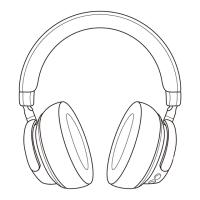
ACTIVE NOISE CANCELLING
WIRELESS STEREO HEADPHONES
User Guide
BT-BH011_V1.2
www.boltune.net
ASIA PACIFIC
E-mail: support@boltune.net
JP Importer: 株式会社SUNVALLEY JAPAN
Address: 104-0032東京都中央区八丁堀3丁目18-6PMO京橋東9F
EUROPE
E-mail: support@boltune.net
EU Importer: ZBT International Trading GmbH
Address: Halstenbeker Weg 98C, 25462 Rellingen, Deutschland
NORTH AMERICA
E-mail: support@boltune.net
US Distributor: SUNVALLEYTEK INTERNATIONAL INC.
Address: 46724 Lakeview Blvd, Fremont, CA 94538
MANUFACTURER
Shenzhen NearbyExpress Technology Development Co.,Ltd.
Address: 333 Bulong Road, Shenzhen, China, 518129
Question and Answer IconNeed help?

Do you have a question about the BOLTUNE BT-BH011 and is the answer not in the manual?

Summary

Product Diagram

Power Button

Controls power on/off and Bluetooth pairing functions.

Volume and Track Control

Adjust volume and skip tracks with long presses.

3.5 mm Audio Port

3.5mm audio port for wired connection.

Indicators

Displays power, Bluetooth status, and charging status.

Microphone

Built-in microphone for calls.

ANC Button

Activates/deactivates active noise cancellation.

Micro USB Charging Port

Micro USB port for charging the headphones.

Package Contents

How to Use

Charging

Connect the charging port with any USB charging adapter to start charging.

Pairing

Connect headphones to Bluetooth devices by activating Bluetooth and searching for 'Boltune BT-BH011'.

Button Functions

BOLTUNE BT-BH011 Specifications

General IconGeneral
BrandBOLTUNE
ModelBT-BH011
CategoryWireless Headphones
LanguageEnglish