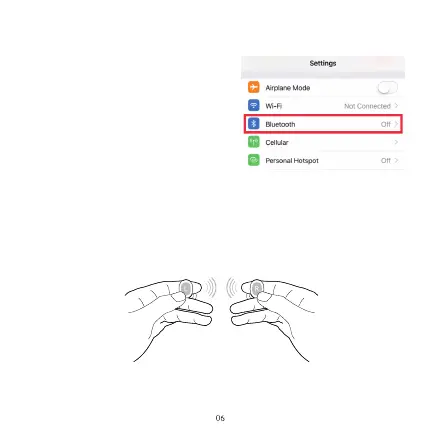
4. How to Pair
4.1 Stereo Mode
1.Take out both earbuds from the charging
case. Right earbud will flash red and blue
LED light alternately. "Left" earbud will not
flash any light.
2. Go to your Bluetooth menu and select
“SIFI”
3. You will hear “connected” once paired
with phone successfully.
Factory Reset (Try the following steps if you fail building connection between
two earbuds, or between earbuds and device)
-Power off both earbuds, then hold for 10 sec to go to factory settings.
How to enter into Mono Mode?
The R and L earbuds can both work separately as a single earbud (Mono
Mode), or use together as a pair of stereo earbuds (Stereo Mode). To use in
different modes, you need to follow different pairing steps.
Put one earbud into charging case to power it off, then use another earbud
as mono mode.


 To Next Page