EasyManua.ls Logo

Bona DCS User Manual

Bona DCS
8 pages
To Next Page IconTo Next Page
Page #1 background imageLoading...
Page #1 background image
Copyright © 2016 Bona US. All Rights Reserved.
Safety, Operation and Maintenance
Manual with Parts List
Please read before use!
1.5 HP, 1122 Watts, 120 CFM
Important Information and Safety Instructions
Register your m
achine at www.bona.com/register
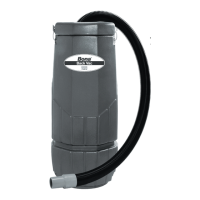
Bona DCS Back Vac
REGISTER
YOUR
MACHINE!
Reliable Power
Fastest Pick-Up
Maximum Airow
Innovative Design
Lightweight
10-Quart Capacity
WARRANTY INFORMATION
To the purchaser of this unit:
Read the warranty printed below. To ensure you will be fully protected under this warranty,
please register with us on www.bona.com/register.
When communicating with us regarding your machine, always refer to both the model
number and serial number, which appears on the spec plate and shipping carton.
Bona Service Center
3251 Revere St. Unit 220, Aurora, CO 80011
LIMITED WARRANTY
This Bona product is warranted to be free from defects in materials and workmanship under
normal use and service for a period of two years from date of purchase when operated in
accordance with the instructions included.
This warranty is extended only to the original purchaser for use of this product. It does not
cover normal wear and parts such as dust collector bag, electronic components, electrical
cords, brushes or rubber parts.
If a problem occurs with this product, you should contact your nearest Bona Distributor, or
the Bona USA, Inc. oce for the authorized repair location closest to you. All freight costs in
shipping the machine to the repair location are to be paid by the purchaser.
Bona USA, Inc.’s liability under this warranty is limited to repair of the product and/or
replacement of parts and is given to the purchaser in lieu of all other remedies, including
incidental and consequential damages.
Bona USA, Inc., Denver, Colorado
Question and Answer IconNeed help?

Do you have a question about the Bona DCS and is the answer not in the manual?

Bona DCS Specifications

General IconGeneral
BrandBona
ModelDCS
CategoryVacuum Cleaner
LanguageEnglish

Summary

WARRANTY INFORMATION

Limited Warranty

Covers defects in materials/workmanship for two years, excluding normal wear and tear.

SAFETY, OPERATION AND MAINTENANCE MANUAL

Important Information and Safety Instructions

Essential safety guidelines, operational notes, and warranty registration prompt for the Bona DCS Back Vac.

Questions or Comments

Contact information for customer inquiries regarding the Bona DCS Back Vac.

Safety Instructions

Reduce the Risk of Fire, Electric Shock or Injury

Critical safety precautions to prevent fire, electric shock, and personal injury during operation.

5-Piece Standard Tool Kit

Tool Kit Components

Lists the five standard tools included with the Bona DCS Back Vac, with item numbers and descriptions.

Grounding Instructions

Risk of Electric Shock

Explains the importance of proper grounding to prevent electric shock, especially when using temporary adapters.

Machine Parts List

Parts Identification

A comprehensive list of all machine parts with item numbers, descriptions, quantities, and drawing references.

Care of your Backpack Vacuum Cleaner

Handling and Maintenance Warnings

Instructions on proper handling, storage, and crucial warnings about filter usage to prevent damage and voiding warranty.

Machine Schematic Drawing

Component Diagram

A visual diagram illustrating the different components of the Bona DCS Back Vac.

Operation and Assembly Instructions

Getting Started and Setup

Guidance on initial setup, including checking filters, adjusting straps, and plugging in the vacuum.

Changing Paper Filter Bag

Step-by-step instructions for replacing the paper filter bag within the vacuum.

Cloth Filter Maintenance

How to inspect and clean the cloth filter, with a caution against washing it.

Troubleshooting Guide

Loss of Vacuum

Identifies common causes for vacuum loss and provides solutions, such as checking the bag or motor.

Motor Not Running

Troubleshoots issues where the motor fails to operate, suggesting checks for switches, cords, or fuses.

Dust Blowing from Vacuum

Addresses problems with dust emission, indicating solutions like replacing or cleaning filter bags.