7
Functions &Vacuuming
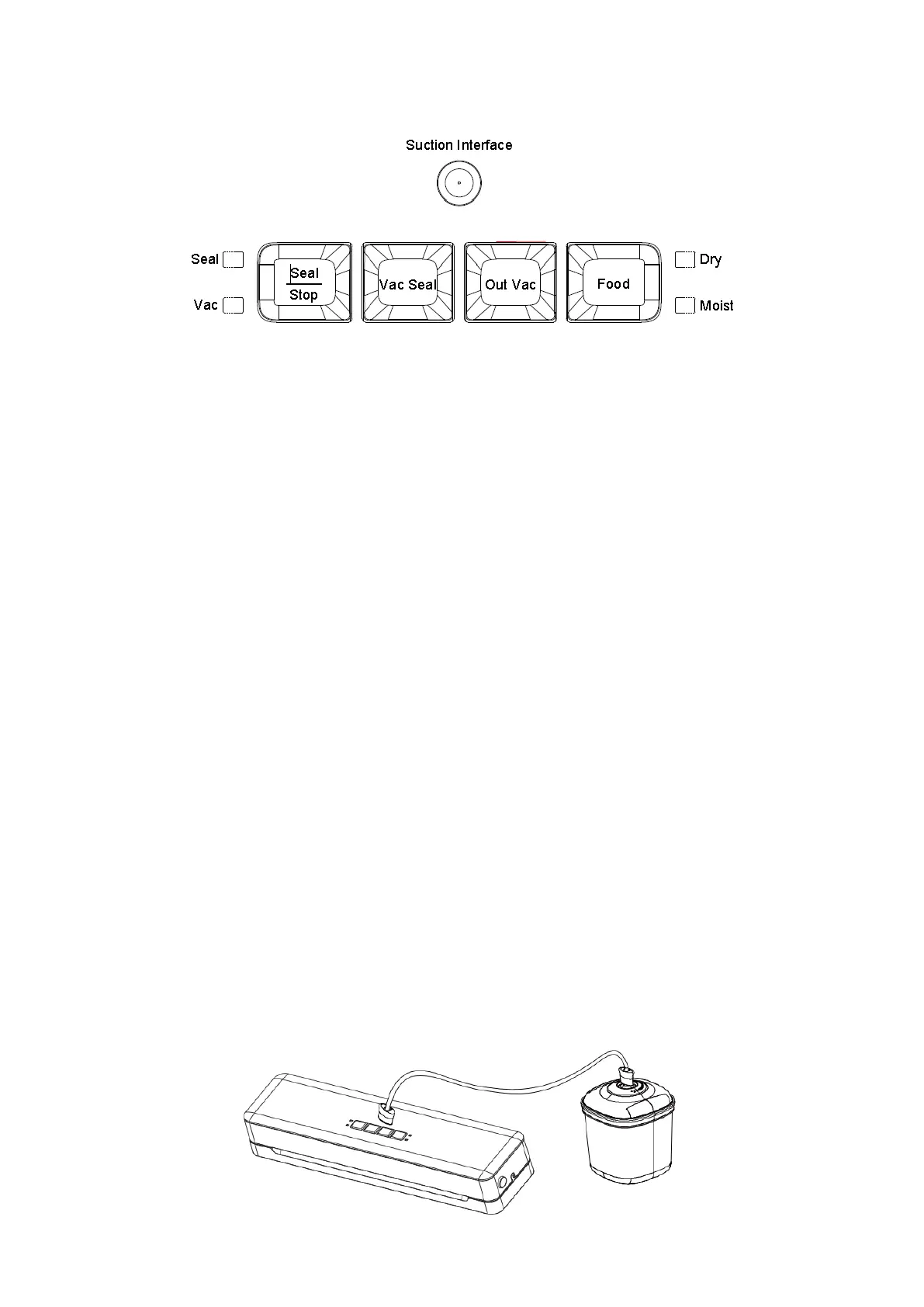
1) Seal
In standby state according to this, press the seal button, the sealing indicator will light
on, you can begin seal the bag.
2) Stop
The machine will stop working when the button is pressed in any state of work.
3) Vac Seal
Press this button in standby state, the machine will start vacuuming, then sealing the
bag, the Vac Seal indicator light on.
4) Out Vac
Connect one end of the vacuum pipe with the external vac hole, and the other end with
canister, then press the “Out Vac” button, the device will start vacuuming. If need stop
the vacuum, press the button “Seal/Stop”.
5) Food-Moist/Dry
You can choose the mode according to what you want to seal, dry or moist. If you seal
dry food, advice to wait after 10 seconds to seal next one.
If you seal moist food, advice to wait after 20 seconds to seal next one.
Turn on the appliance power, the default mode is dry, when the upper and lower cover is
not locked tight, only this button “food” can adjust the mode.
It is recommended to seal 5 bags continuously then cool down 10min, so that the
machine life can be prolonged.
6 ) Suction Interface
Connect one end of the vacuum pipe with the external vac hole, and the other end with
canister, then press the “Out Vac” button, the device will start vacuuming. If need stop
the vacuum, press the button “Seal/Stop”.


 To Next Page