How to edit notes and other controls
using “Piano roll” w indow
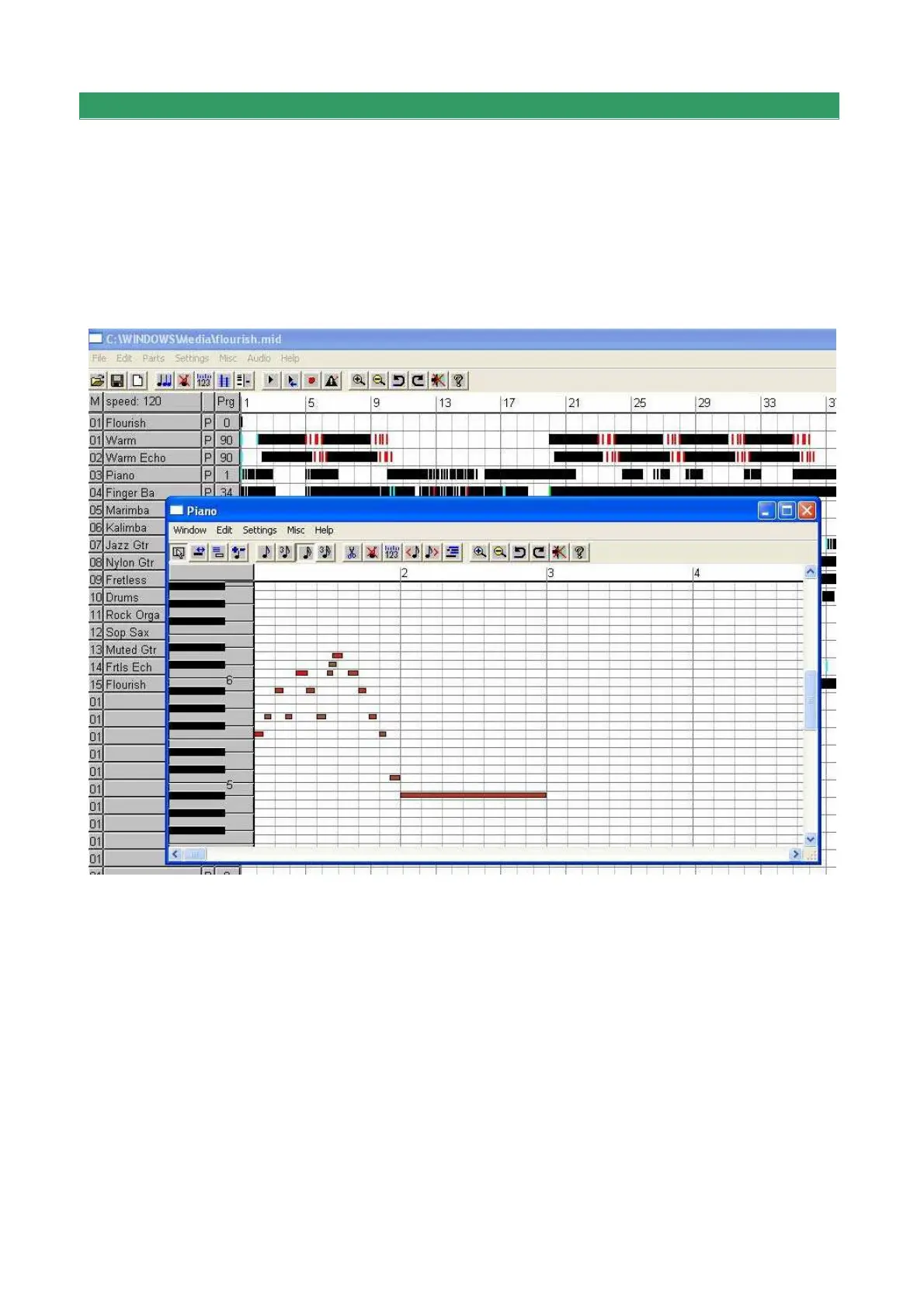
Click with the right mouse button on a track of the main page of the program (area with
discontinuous black lines) and a window appears (piano roll) displaying the notes and their
length. On the left part of this window the image of a piano keyboard makes it
immediately clear which the notes of the song are.
20 buttons are present in the "piano roll" window (described below from the left to the
right) that can considerably modify the content of the song recorded.
1) Buttons to change the operation of the left mouse button:
* select an area (drawing a rectangle)
* change length (pressing the desired location of the note with the left mouse button)
* show dialog box to edit an existing event or to create a new one
* cut/ paste (great for fast note-by-note editing)


 To Next Page