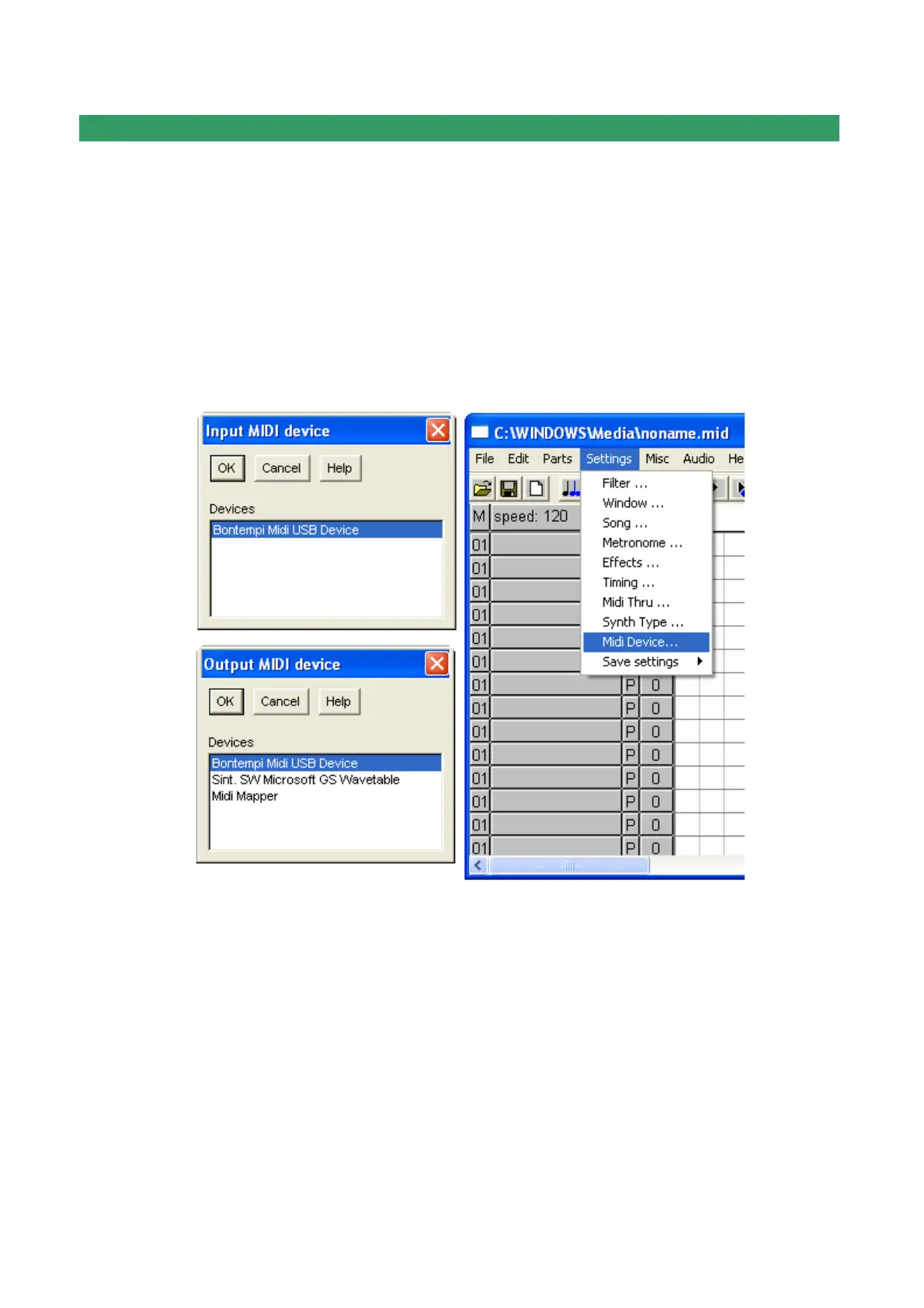
Midi Source and Midi destination.
Selecting the menu Settings | Midi Device a number of windows called "Input MIDI device"
and "Output MIDI device" are activated sequentially. To connect the Bontempi keyboard
select "USB Speakers" or "Bontempi Midi USB Device", where it appears.
Note:
"Bontempi Midi USB Device" appears only when a Bontempi driver is installed on the PC.
Otherwise "USB Speaker" appears.


 To Next Page