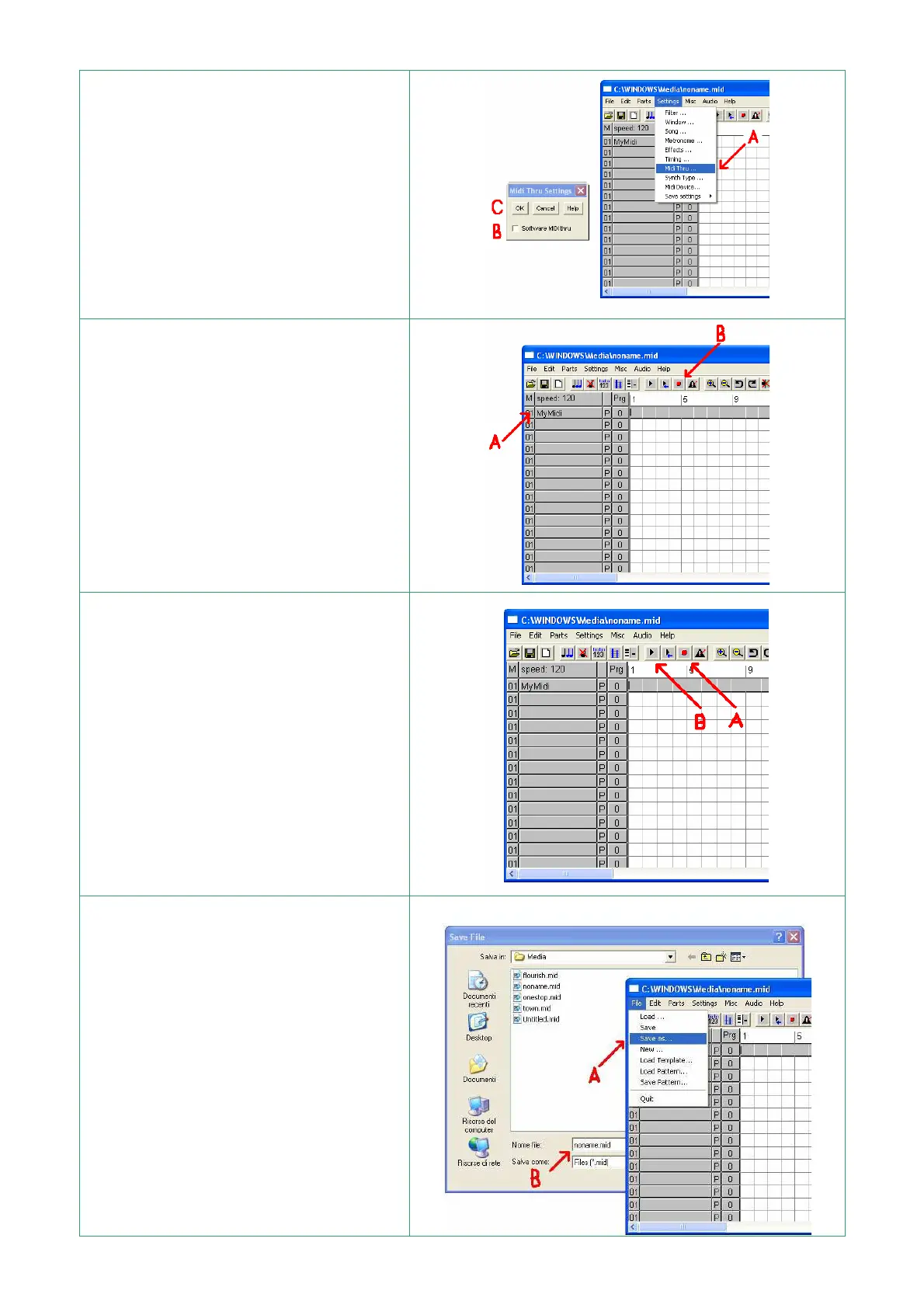
A – Select “Settings | Midi Thru” and
open the window "Midi Thru Setting"
[ fig. A7]
B – With the mouse "click" on the
"Software MIDI Thru" box so it
remains white
C – Press OK
A – With the mouse press button A to
select track where to record
B – Press the record button with the
red circle (record)
C – Play some notes on the keyboard,
start a style or a song – the program
records the notes on the PC memory.
A – To stop the recording press the
button with the red circle again
(Record)
B – To re-listen to the recorded music
press Play indicated by the letter B
A – To save the recorded sequence
select :
File | Save As
B – Write the file name you want to
save
C – Press OK
The file is saved and is available to be
re-listened to or changed


 To Next Page